{style="position:absolute; top:40px; left:40px; width:400px; border: 1px solid lightgray"}
---
{style="position:absolute; top:40px; left:40px; width:400px; border: 1px solid lightgray"}
{style="position:absolute; top:50px; left:450px; width:500px; border: 1px solid lightgray"}
---
{style="position:absolute; top:40px; left:40px; width:400px; border: 1px solid lightgray"}
{style="position:absolute; top:50px; left:450px; width:500px; border: 1px solid lightgray"}
{style="position:absolute; top:290px; left:130px; width:800px; border: 1px solid lightgray"}
---
{style="width: 200px; position: absolute; right: 20px; bottom: 20px;"}
Design and Implementation of a General-purpose Editor
Supporting the Integration of Live Examples into Source Code
David Rauch, Patrick Rein, Stefan Ramson, Jens Lincke, and Robert Hirschfeld
---
# Motivation
## Classic (Application) Programming Workflow {.sub}
---
# Motivation
## Live (Application) Programming Workflow {.sub}
---
# Motivation
## Example-based (Application) Programming Workflow {.sub}
---
## Existing Example-based Systems
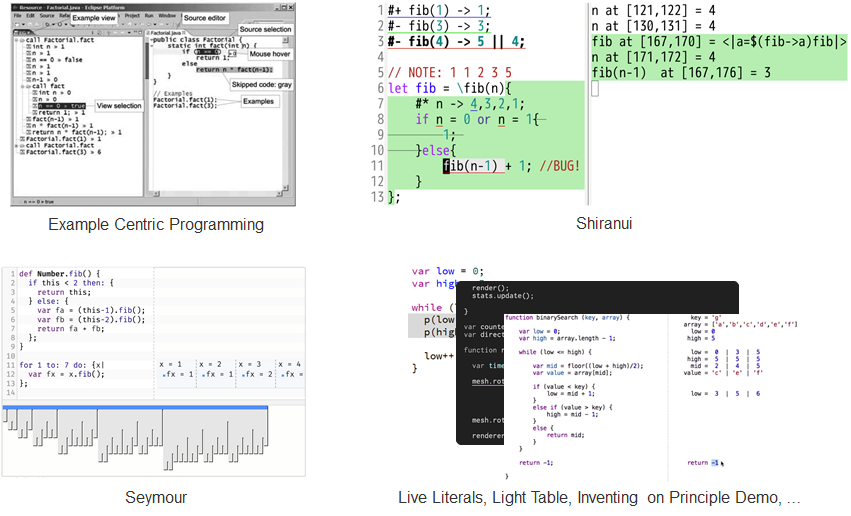{.centered}
---
# Approach
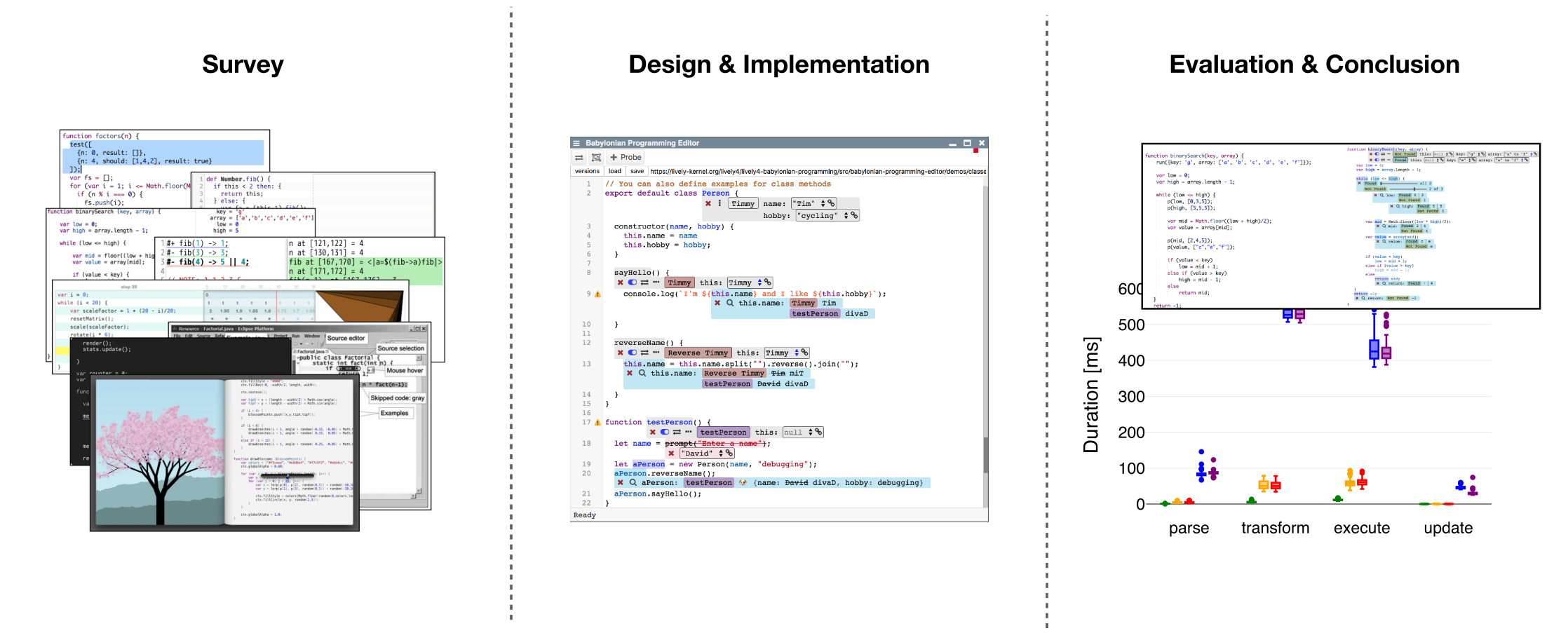{.centered}
---
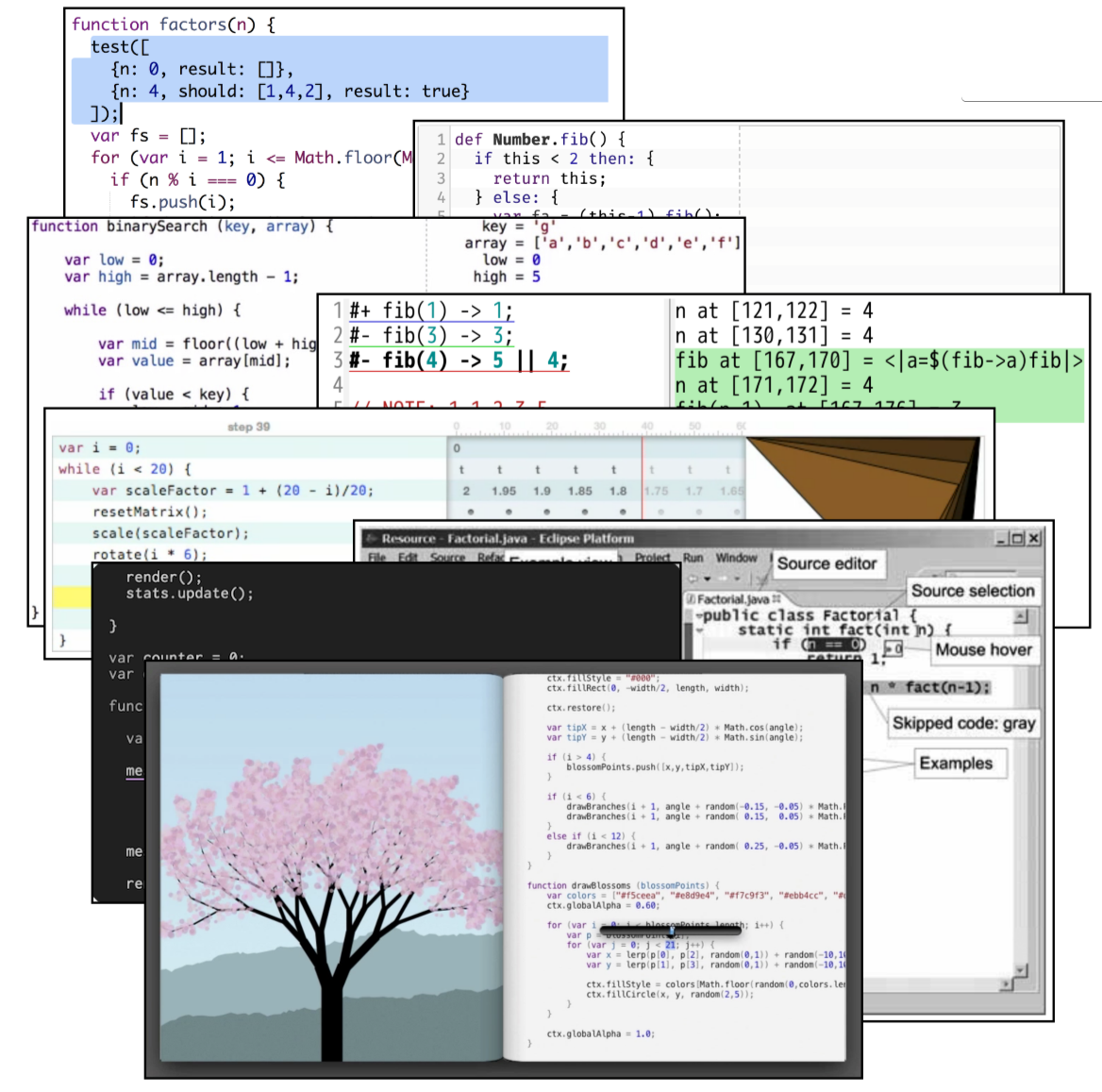
# Survey
- Survey of 8 existing solutions
- Only 4 with “explicit” examples
- Many focus on specific domain
- Most only for small programs
- Identify:
- Common patterns
- Limitations and features
{.right}
---
# Survey
## Feature Space for Example-based Systems {.sub}
Example: Set of input values for a function/method (example invocation)
- Feedback on runtime state
- Feedback granularity
- State over time
- State over modules
- Arbitrary objects
- Domain-specific feedback
- Associating examples with code
- Multiple examples for one part of the application
- Reusing parts of examples
{style="width:45%; float: left"}
- Specifying context
- Determining relevant sections of code
- Control flow
- Runtime state
- Program output
- Keeping track of assumptions {style="margin-top:10px"}
- Navigating the trace{style="margin-top:10px"}
{style="width:45%; float: left"}
---
## Survey - Results
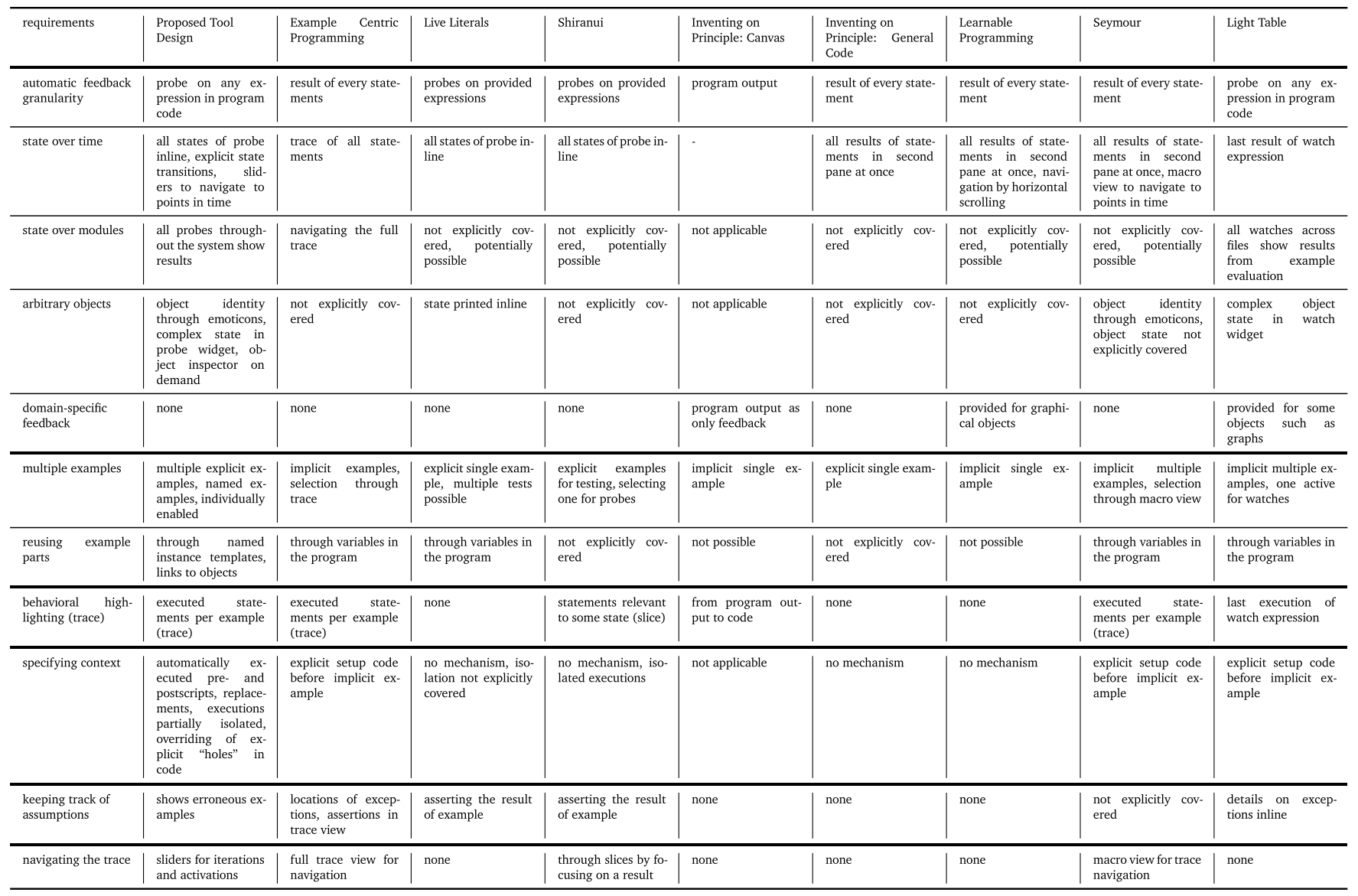
---
## Survey - Identified Features
{.centered}
---
# Approach
## Babylonian-style Programming Editor {.sub}
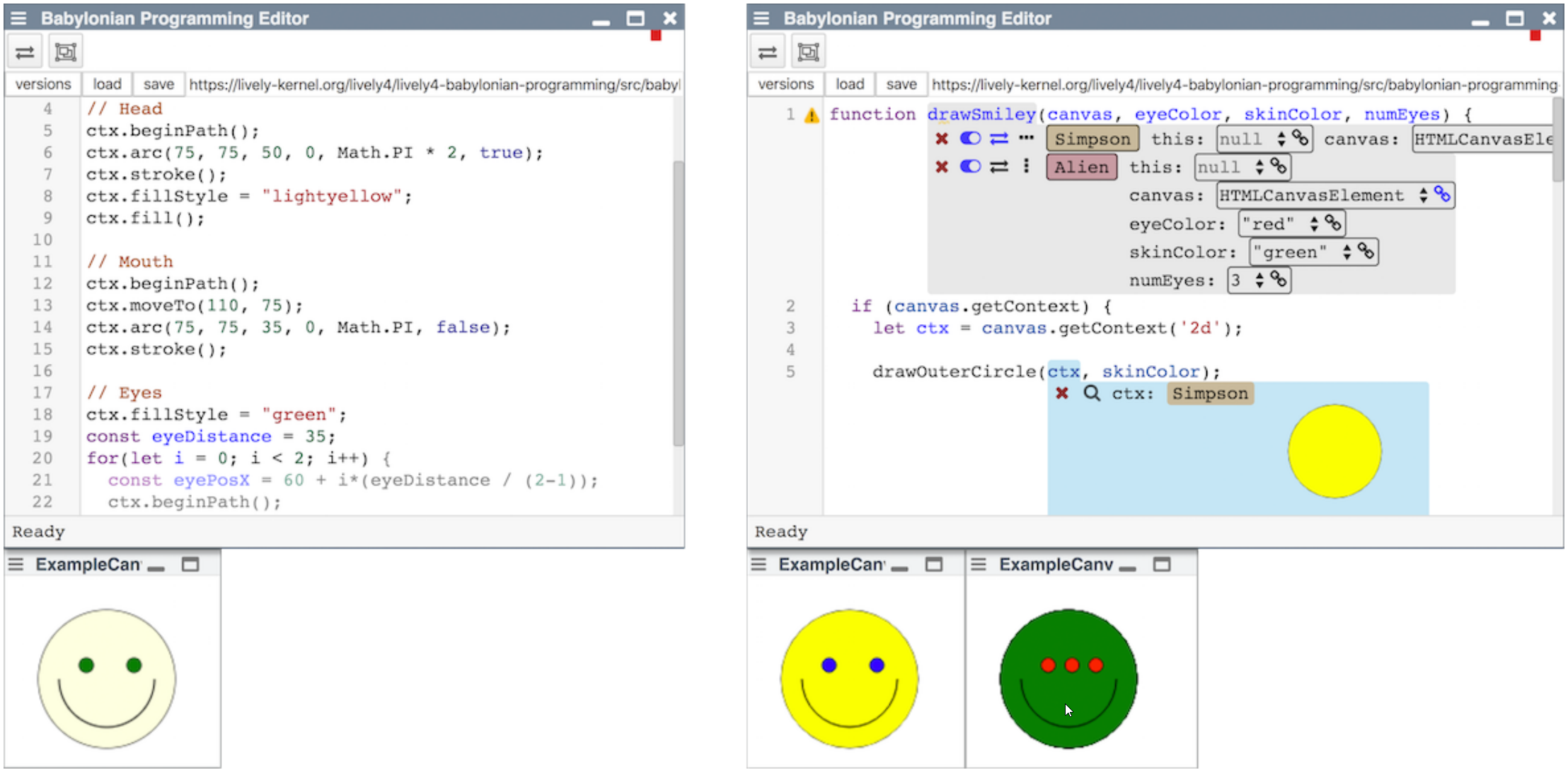{.centered}
[smiley](edit://src/babylonian-programming-editor/demos/canvas/demo.js) [class](edit://src/babylonian-programming-editor/demos/canvas/demoClass.js) [canvas](open://example-canvas) {style="position:absolute; bottom: 5px; right: 50px; font-size: 12pt"}
---
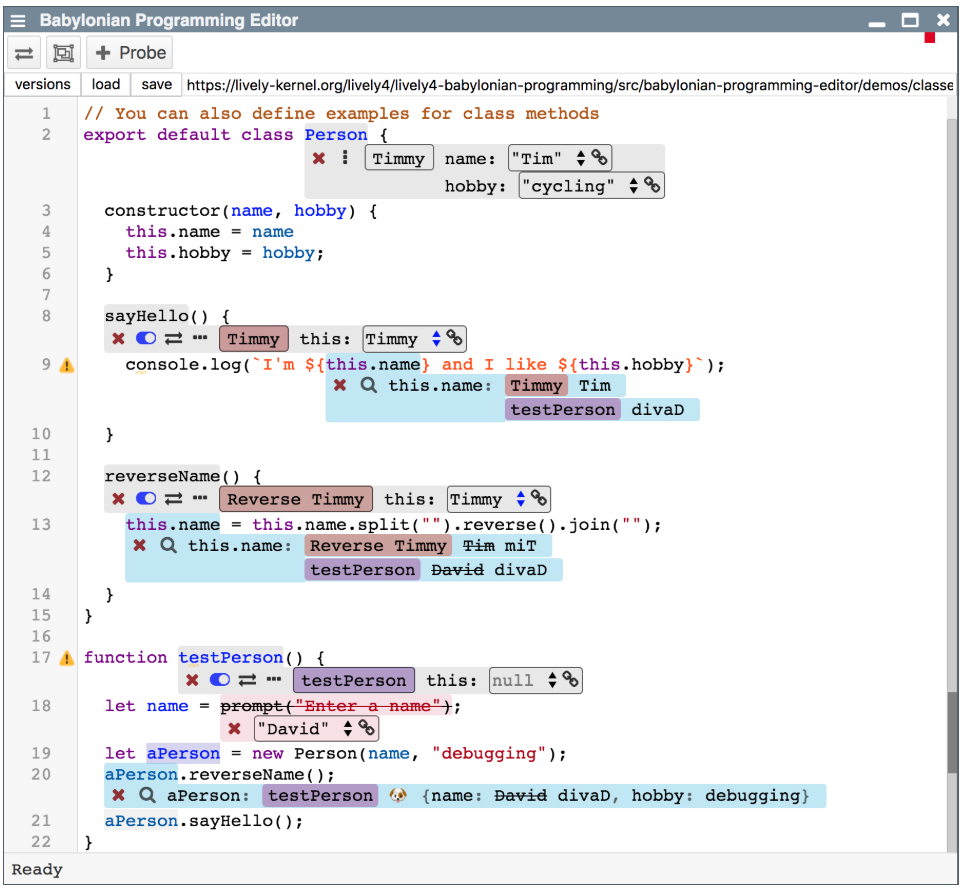
# Design
- Single panel
- Behavioral information inline
- Editor integration
- Annotations are UI widgets
- Multiple editors
- Follow examples across modules
{.right style="width:53%"}
[search](edit://src/babylonian-programming-editor/demos/binary-search.js) [classes](edit://src/babylonian-programming-editor/demos/classes.js) {style="position:absolute; bottom: 5px; right: 50px; font-size: 12pt"}
---
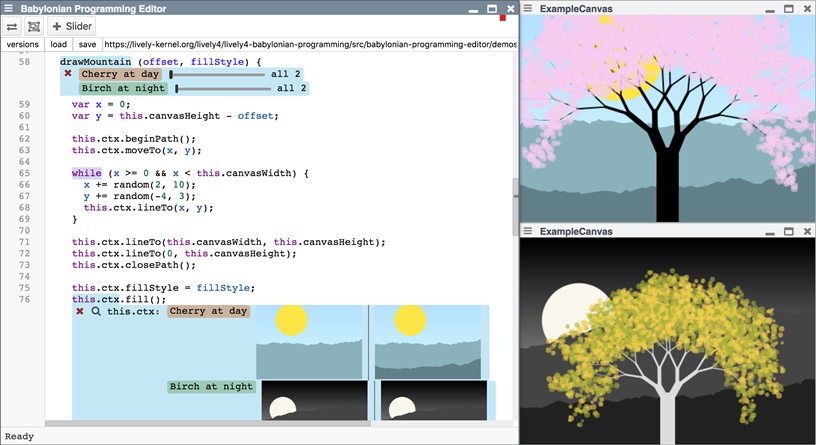
# Design
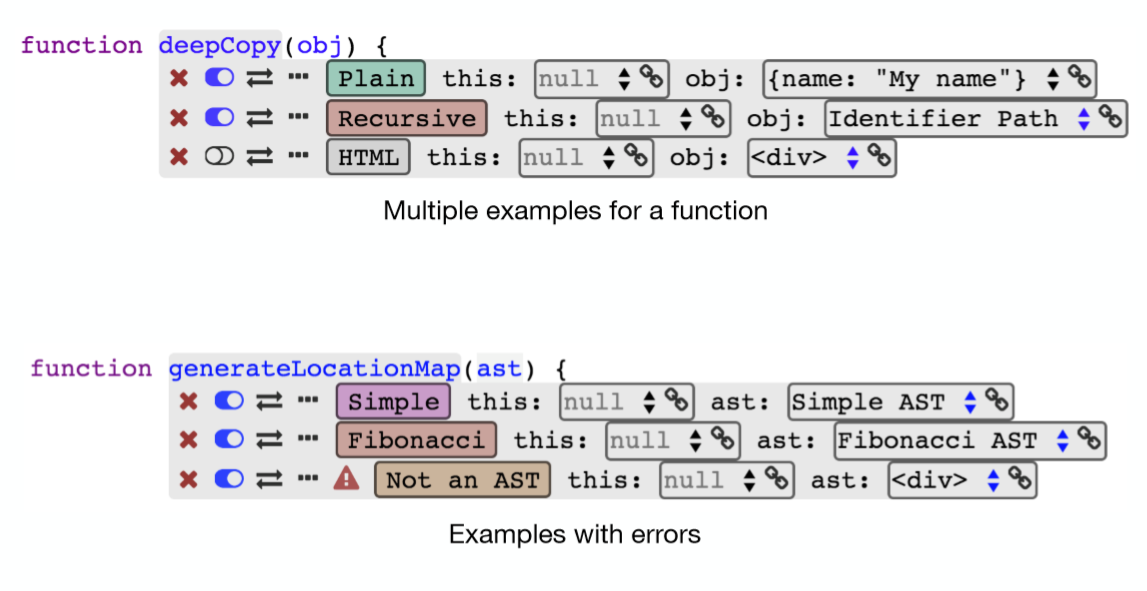
## Multiple Examples {.sub}
- Multiple examples per function
- May be activated or deactivated
- Named examples
- Assigned colors
{.bottomRight style="width:65%"}
---
# Design
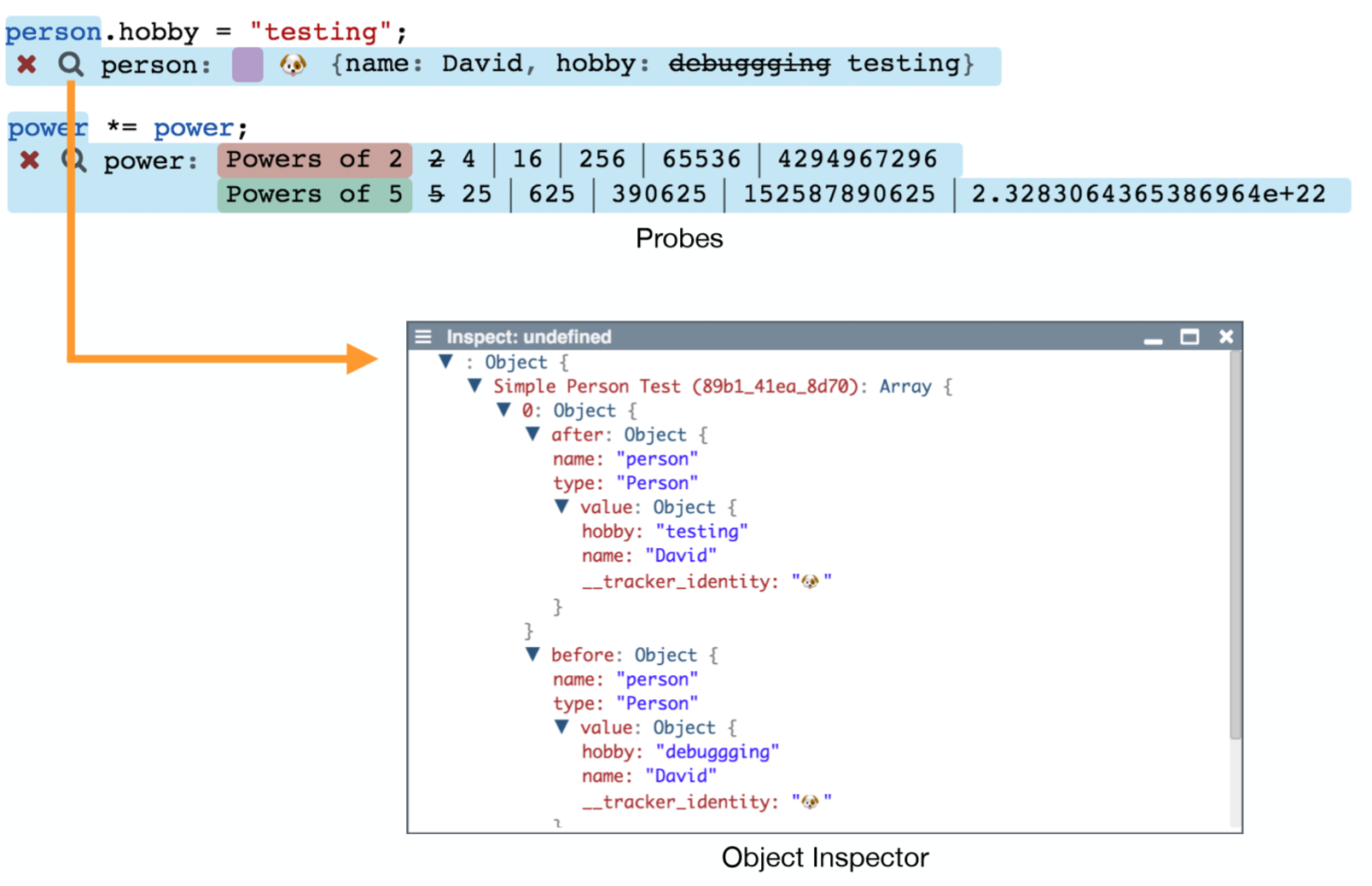
## Probes {.sub}
- Probe source code for values
- Attach to syntax elements
- See values for examples
- See changes during statement
- Chronological order
- Object inspector supported
{.right style="width:58%"}
---
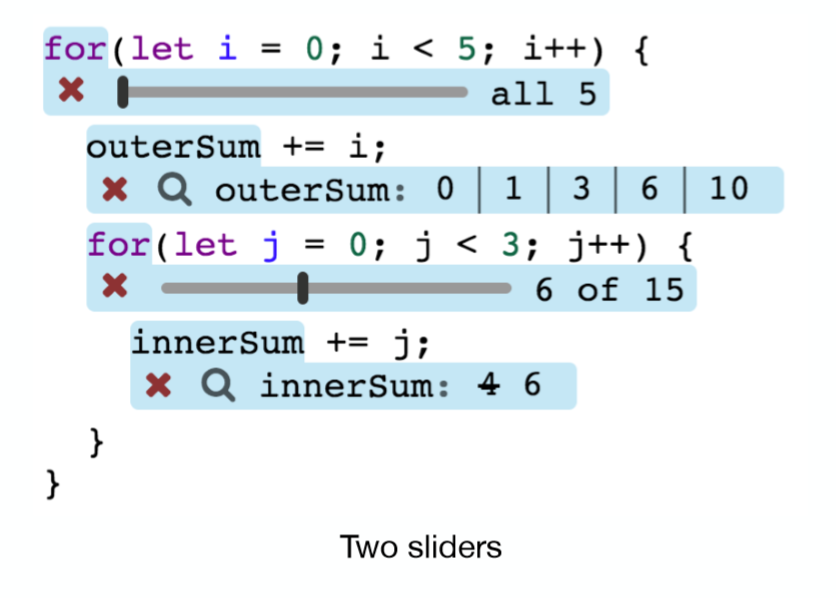
# Design
## State over Time {.sub}
- Sliders
- Attach to flow control structures
- Scroll through iterations
- Probes filter values
- Easier correlation of values
{.right style="width:40%"}
---
# Design
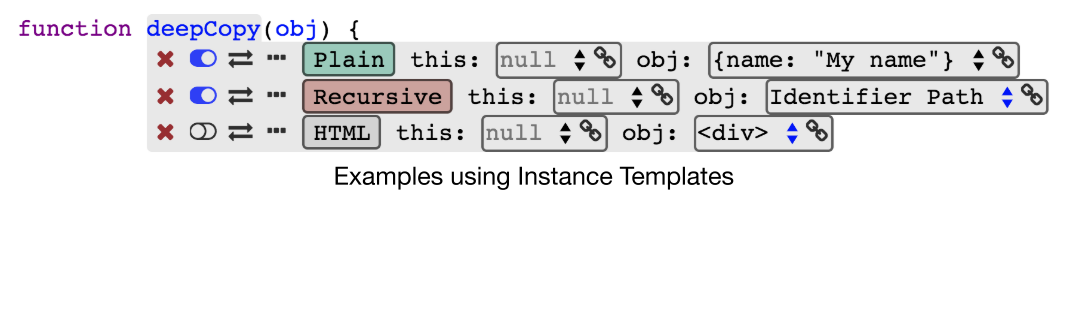
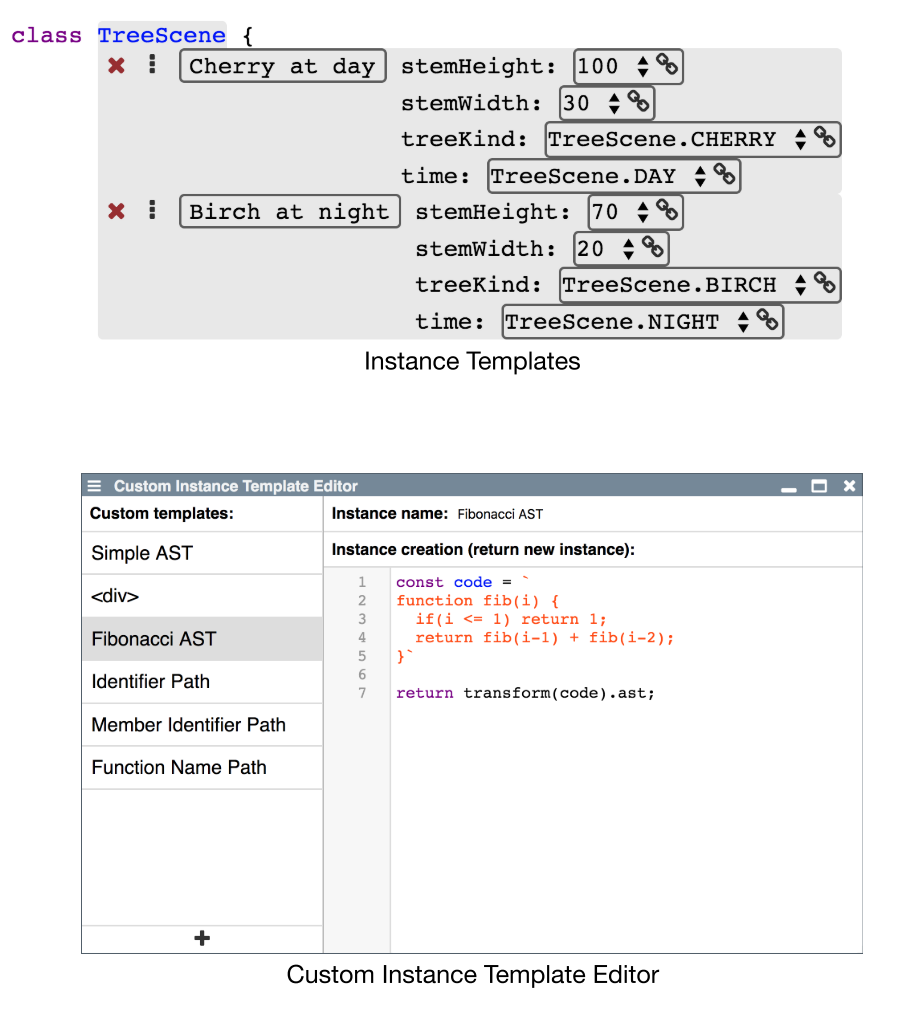
## Objects and Data Structures {.sub}
- Supported by probes
- Usable in examples
- (Custom) instance templates
- Links
{.bottomLeft}
{.right}
---
# Design
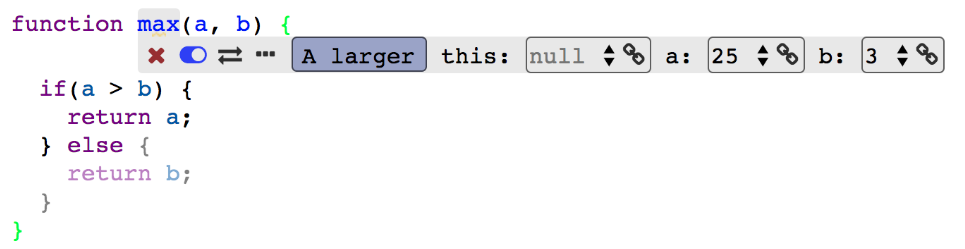
## Behavioral Highlighting {.sub}
- Examples indicate intent
- Fade out code that was not reached
- Quickly find relevant code
- Examine conditions without probes
{.right}
---
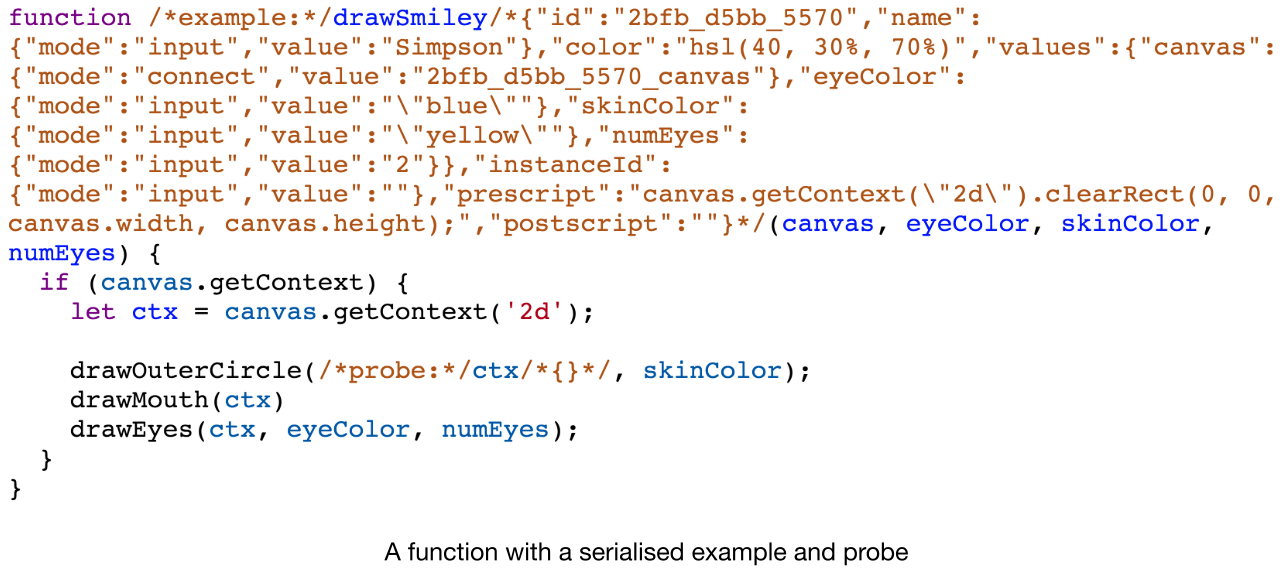
# Design
## Persistent Examples {.sub}
- Serialized to JSON
- Saved as comments
- Before and after syntax elements
- On load: parse and hide
{.right}
---
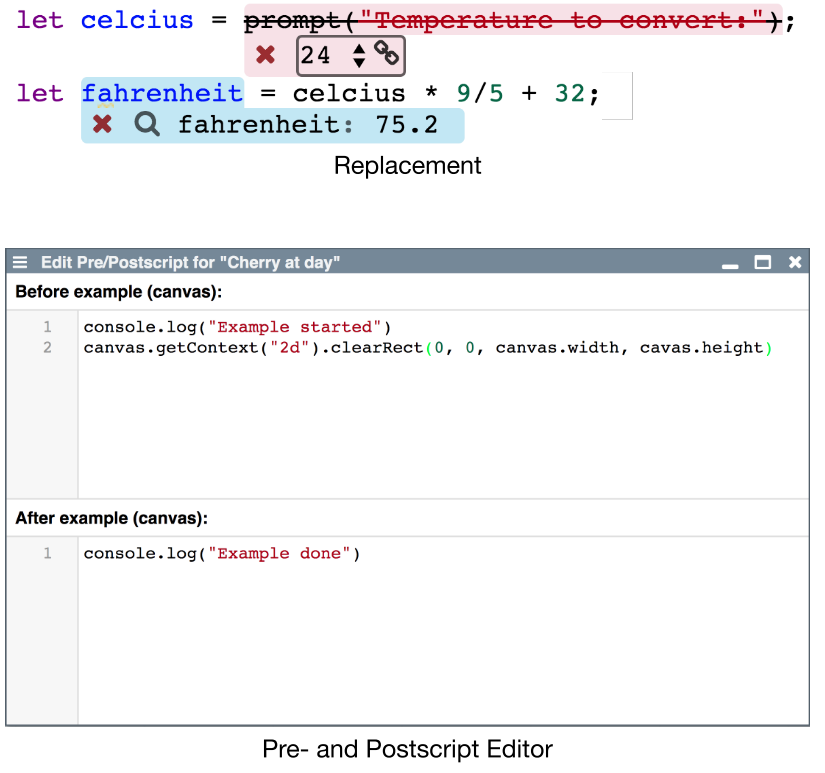
# Design
## Additional Features {.sub}
- Replacements
- Replace source code
- Only for example evaluation
- Pre- and postscript
- Run before and after example
- Similar to setup and teardown
{.right}
---
# Demo
## Babylonian-style Programming Editor {.sub}
{style="width: 600px; position: absolute; top: 180px; right: 20px"}
- [demos](browse://src/babylonian-programming-editor/demos/)
- [binary search](edit://src/babylonian-programming-editor/demos/binary-search.js)
- [tree](edit://src/babylonian-programming-editor/demos/tree.js)
- [canvas](open://example-canvas)
- [tree-scene](edit://src/babylonian-programming-editor/demos/tree-scene.js)
- [tree-base](edit://src/babylonian-programming-editor/demos/tree-base.js)
- [utils/ast](edit://src/babylonian-programming-editor/utils/ast.js)
- [location-converter.js](edit://src/babylonian-programming-editor/utils/location-converter.js)
---
# Implementation
- Implemented and integrated in Lively4 web-based development environment
- Embedded Widgets in CodeMirror
- Example Evaluation, when user stops typing:
---
# Future Work
- **Projectional Editing:** Persistent AST
- **Example Execution Paths:** How did an example reach a certain point?
- Integration of tracing
- Non-terminating Examples: How to support?
- Unit Tests: How to integrate examples and unit tests?
---
# Conclusion
- Integrated live examples into source code of complex applications
- Surveyed existing systems
- **Designed and implemented a new editor**
- **Evaluation: Editor enables new use-cases**
- Focus on complex applications opens new research questions
{style="width: 450px; position: absolute; bottom: 80px; right: 10px"}
---
## Babylonian-style Programming Editor {style="z-index: 2; background: white; position:absolute; bottom: -7px; right: 10px"}
- Feedback on runtime state
- Feedback granularity
- State over time
- State over modules
- Arbitrary objects
- Domain-specific feedback
- Associating examples with code
- Multiple examples for one part of the application
- Reusing parts of examples
- Specifying context
- Determining relevant sections of code
- Control flow
- Runtime state
- Program output
- Keeping track of assumptions {style="margin-top:10px"}
- Navigating the trace{style="margin-top:10px"}
{style="transform: scale(1); transform-origin: top left; width:45%; float: left"}
{style="position:absolute; top:20px; left:460px; width:200px; border: 1px solid lightgray"}
{style="position:absolute; top:120px; left:580px; width:300px; border: 1px solid lightgray"}
{style="width: 450px; position: absolute; bottom: 80px; right: 10px"}
---
Backup Slides
---
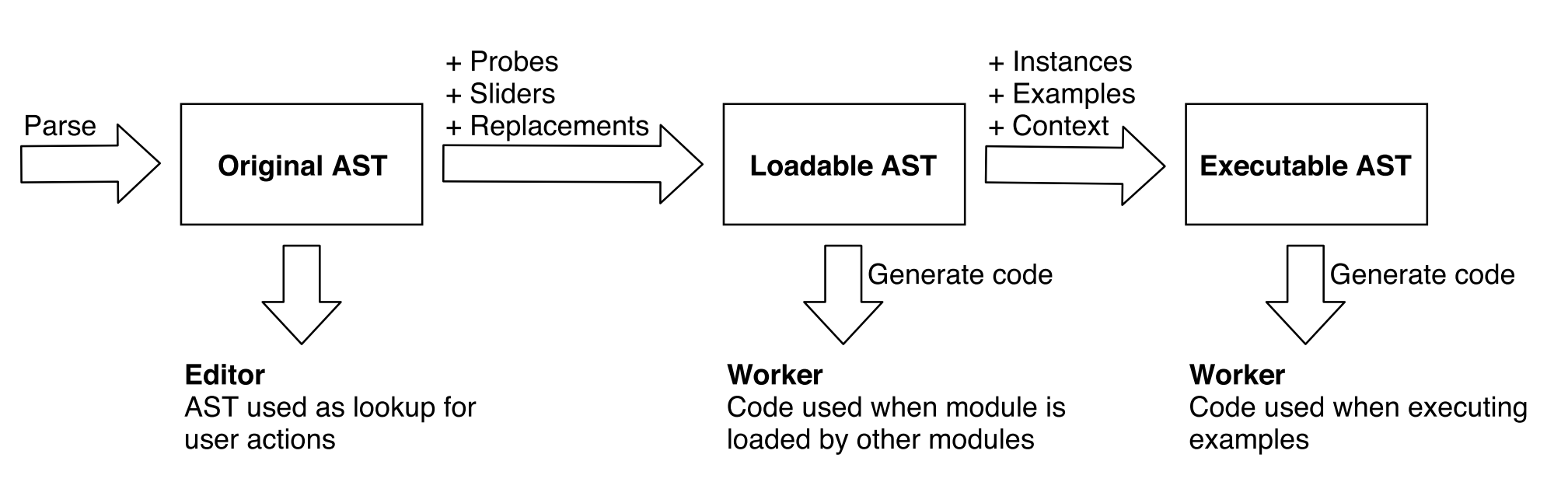
# Implementation
## AST Transformation{.sub}
---
# Evaluation
- Editor features
- Binary Search
- Canvas
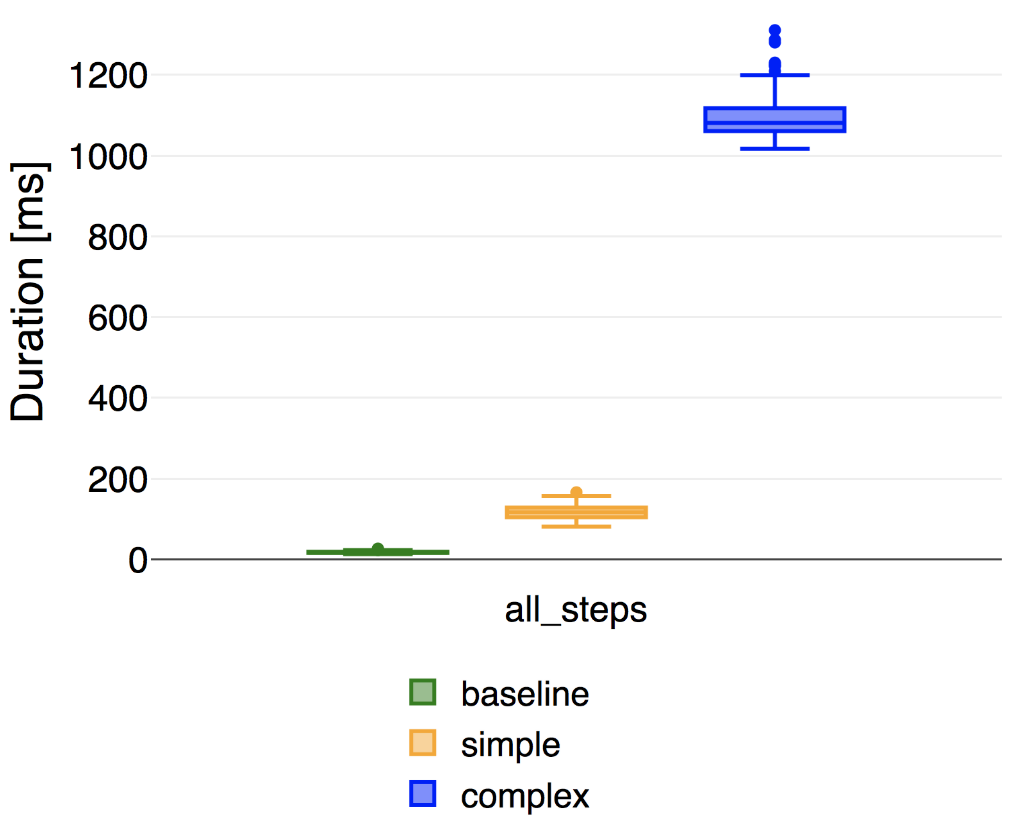
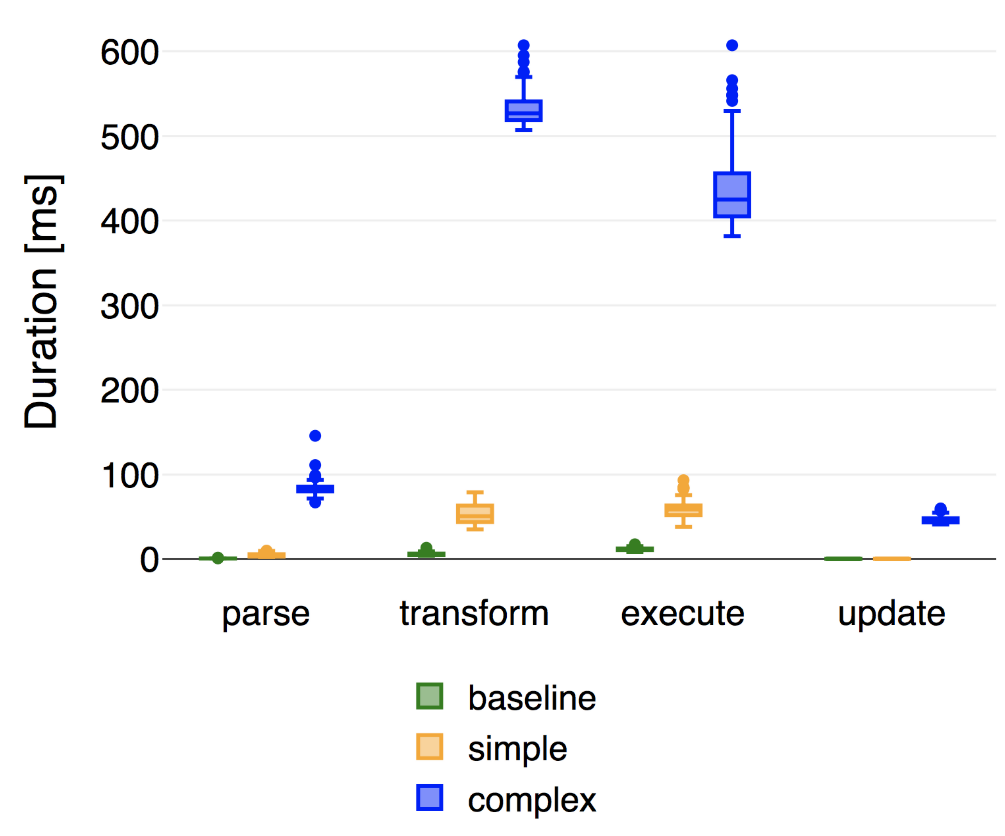
- Editor performance
- Responsiveness in different scenarios
---
# Evaluation
## Performance {.sub}
- Baseline: empty
- Simple:
- Binary search implementation
- 3 examples, 4 probes, 1 slider
- Complex:
- 700 LoC
- 8 examples, 11 probes, 1 slider
{#EvaluationPerformance}
{.right}
---
# Evaluation
## Performance {.sub}
{.right}
---