# Project 6: Siegfried Horschig, Theresa Zobel - Semantic Source Code Navigation
[presentation](presentation.pdf)
## Abstract
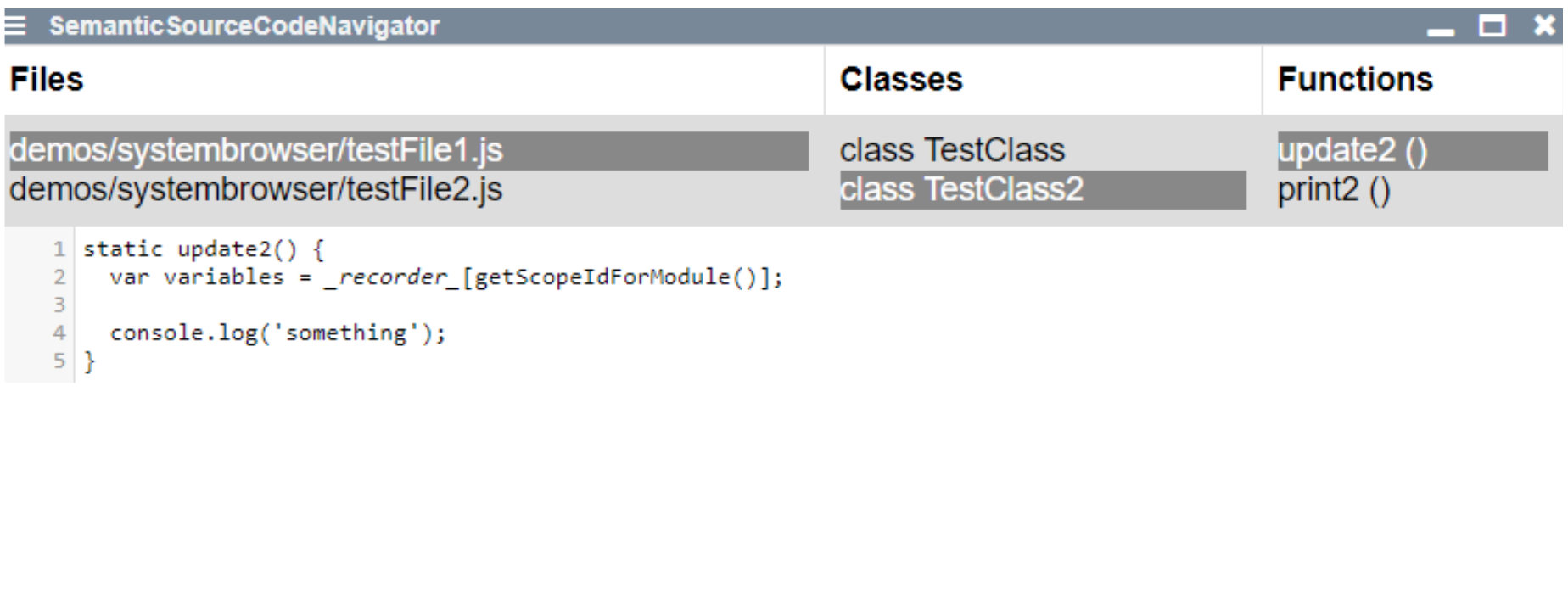
Common source code navigation operates on a file base and makes it difficult to conceive and manipulate code structures inside of a file. Our goal was to create a semantic source code navigation in order to simplify exploring and changing code on a file basis and what is more, on a toplevel-function (class) and method basis. For this purpose, we created a lively component inspired by the [Squeak System Browser](http://wiki.squeak.org/squeak/673). The component consists of four parts: editor window, file list, top-level list, method list. The file list consists of a list of files, which for now, are loaded statically from a specific directory. When clicking on a file we generate a AST (abstract syntax tree) using the JavaScript parser [Babel](https://babeljs.io/). Afterwards the other two lists are populated by extracting the signatures from the AST. When selecting any element from the list the editor window allows the manipulation of the content of the selected element. Saving changed content creates a new node based on the element that was changed (e.g.: a new method declaration node). Iterating through the AST of the changed file, the old node is then replaced with the newly created one.
{style="width:500px;border:2px solid gray"}
- [API](browse://src/client/signature-db.js)
- [example component](open://semantic-source-code-navigator)
- [example source](browse://templates/semantic-source-code-navigator.js)
## Test File Content
## Example Script
```javascript {id="example"}
import {SignatureManipulator} from "src/client/signature-db.js"
var sig = new SignatureManipulator()
(async () => {
var data = await sig.parseAndExtractFile("demos/systembrowser/testFile2.js")
return data
})()
```
## Resulting Data