## 2024-07-18 Handwritten Text Recognition using AI
*Author: @onsetsu*

<script>
const normalURL = lively4url + '/demos/stefan/handwritten-text-recognition/eng_bw.png';
const scribblyURL = lively4url + '/demos/stefan/handwritten-text-recognition/htr-test.png';

function textareaFor(text) {
  return <textarea style='width: 500px; height: 150px;'>{text}</textarea>
}
</script>

### Using OpenAI

<script>
import OpenAI from "demos/openai/openai.js"
  
async function textFromImageOpenAI(url) {
  let prompt =  {
    "model": "gpt-4o", 
    "max_tokens": 500,
    "temperature": 1,
    "top_p": 1,
    "n": 1,
    "stream": false,
    "stop": "VANILLA",
    "messages": [
      { "role": "system", "content": "You are a system for handwritten text recognition (htr). Given an image, extract the text in it and only answer with this text." },
      { "role": "user", "content":  [
        {
          "type": "image_url",
          "image_url": {
            "url": url,
            "detail": "low" // high
          }
        }
      ]}
    ]
  }

  let json = await OpenAI.openAIRequest(prompt).then(r => r.json())
  return json.choices[0].message.content
}

</script>

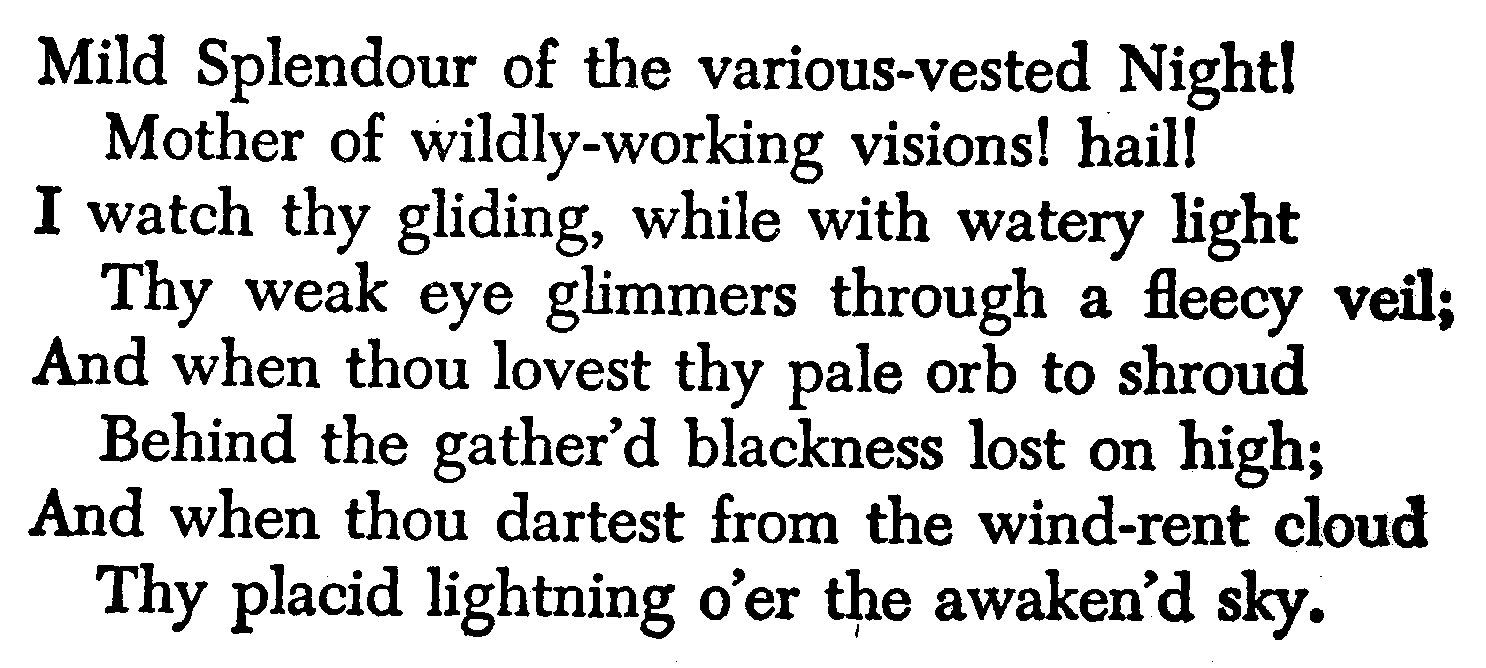
![alt text](http://tesseract.projectnaptha.com/img/eng_bw.png "Handwritten Text"){width=400}

<script>
const text = await textFromImageOpenAI(normalURL)
textareaFor(text)
</script>

![alt text](./../../../demos/stefan/handwritten-text-recognition/htr-test.png "Handwritten Text"){width=400}

<script>
const text2 = await textFromImageOpenAI(scribblyURL)
textareaFor(text2)
</script>

### Using the OCR lib tesseract.js

- Good for OCR, not for HTR
- Has fine-grained feedback on where Words, lines, etc. are

```javascript
import { createWorker } from 'https://cdn.jsdelivr.net/npm/tesseract.js@5/dist/tesseract.min.js'

const worker = await createWorker('eng');
const ret = await worker.recognize(lively4url + '/demos/stefan/htr-test.png');
await worker.terminate();
ret.data.text
```

<script>
import { createWorker } from 'https://cdn.jsdelivr.net/npm/tesseract.js@5/dist/tesseract.min.js'

async function textFromURL(url) {
  const worker = await createWorker('eng');
  const ret = await worker.recognize(url);
  await worker.terminate();
  return ret
}
</script>

Good for OCR-friendly text:

<script>
const ret = await textFromURL(normalURL)
textareaFor(ret.data.text)
</script>

Bad for handwritten notes:

<script>
const ret = await textFromURL(scribblyURL)
textareaFor(ret.data.text)
</script>