Lively4: An Exploratory Web-Programming Environment
Jens Lincke, Stefan Ramson, Robert Hirschfeld
Software Architecture Group Hasso Plattner Institute University of Potsdam, Germany
Shonan Meeting No.147
on Self-supporting, Extensible Programming Languages and Environments
for Exploratory, Live Software Development
Feb 2019
----
## Exploratory Programming Environments
- **Require**: special workflows, frameworks or languages
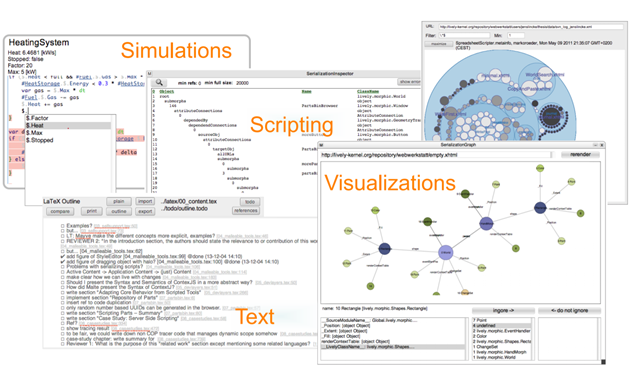
- Classic Smalltalk: persistent, pure, fully reflectional object graph
- Our own project: Lively Kernel (Smalltalk/Morphic in a browser)
- Subset of JavaScript (custom Smalltalk-like class system)
- Full serializable object graph
- Reflective Morphic UI
{width="600"; style="position: absolute; bottom: 0px; right: 0px}
---
## Inside/Outside <-> Content/Code
1. Excludes working on content and programs not created
in specific environment/framework/language
2. Hard to make use of content and programs
created outside of that environment
{style="position: absolute; width:500px; bottom: 0px; right: 0px}
---
## Approach: Lively4
- Overcome the gap between
- Explorable content created in special environments
- Outside content as HTML content and JavaScript programs
- We create new environment that fully embraces HTML and JavaScript
- HTML used to be only a generation target UI for frameworks other systems
- HTML Elements become our persistent domain objects
- We use HTML/JavaScript to build a
- Collaborative
- Self-supporting
- Exploratory development environment
- For HTML/JavaScript content
---
## Tools and Workflows
---
## Demo
- Example of [D3/GraphViz visualization](browse://src/components/d3/index.md)
- [Bootlog](browse://demos/visualizations/bootlog.md)
- [Core Module Dependecies](browse://demos/visualizations/graphviz.md)
- /
- [Developers Journal](browse://doc/journal/2019-01-18.md/index.md)
---
## Conclusion
- Build Lively4 environment in a self-supporting way
- Develop, use and evolve **tools** and **workflows** from within it
- Can use and work on *outside* content and code
- Exploratory workflows can enrich HTML/JavaScript development experience
- Tools and environment can be easier to create
if external contributions are easier to integrate and use
---
... ... ...
---
More on Lively4
---
## Demos
- Self-supporting Environment
- Markdown wiki with scripts and components (e.g. this presentation)
- HTML source code editing vs. manipulating HTML Elements and serialization
- Editing files vs. structural editing of packages/classes/methods (#TODO)
- Work on stuff outside the environment
- Working on HTML Element DOM
- Morphic Halo for all HTML Elements
- XRay / ElementsUnder (example for object-specific behavior / #PartsWorkflow)
- Lively4-chrome extension
- Reuse external content and programs
- CodeMirror for text editing
- DrawIO for figures
- D3 Visualization
- GraphViz for graph layout
- JavaScript, HTML, Markdown parser
---
## Background: Lively Kernel
- Self-supporting System
- All development can be done from within itself
- Web-based Development Environment -> **Lively Wiki**
- Mostly client side
----
## Lively4
- lively4-core
- start.html: boot lively4 into empty page
- local storage: all content in body is locally persisted
- feels like Smalltalk image
- lively4-server
- manages files
- synchronization with GitHub
- lively4-chrome-extension
---
## Technologies
- HTML, JavaScript, CSS
- SystemJS modules (better control than native modules)
- Babel (JavaScript source code transformation)
- new language features
- allows us own experimental features (see ActiveExpressions)
- more control over source code (access into module state)
- Web-components
---
## Applications
- Markdown Wiki with scripts and components
- see [Lively 4 Tools and Workflows](../../demos/tools-and-workflows/index.md#)
---
## Ideas in Lively4
- Embrace low-tech Markdown vs. rich text editing
- #Hashtag Navigation
- Modules to separate behavior
- Web-components as abstraction
- #ShadowRoot as natural border for serialization
---
## More Demos
- "Drag and Drop" and "Copy and Paste"
- ACM vs. Academics ?
- Files and Polymorphic Identifiers (Plex Demo / #Broken?)
---
## Lively4
- Technologies
- Markdown, Scripts, Components
- HTML / JavaScript / CSS
- Web Components
- Modules
- Persistable Object-specific Behavior
- Shonan
- Meta Code -> Markdown
- Visualizations Statements in Code
- openness of computational documents
- workflow: objects / run time first
---
### Visualizations
- [Components](browse://src/components/d3/index.md)
- [Bootlog](browse://demos/visualizations/bootlog.md)
- [DOM Class Hierrachy](browse://demos/visualizations/classhierrachy.md)
- [Core Module Dependecies](browse://demos/visualizations/graphviz.md)
- [All Module Dependecies](browse://demos/visualizations/graphviz_allmodules.md)
- [Object Graph](browse://demos/visualizations/object_graph.md)
- [SqueakCalls](browse://demos/visualizations/squeakcalls.md) #Marcel
- [File size TreeMape](browse://demos/visualizations/treemap_size.md)
---
## What is the "Code" (in Lively4)?
- (Enhanced) JavaScript in Modules
- Language features
- More exploration friendly (access to module state)
- HTML / CSS for components
- Markdown for Wiki-content e.g. documentation, journal, drafts
---
## Where is "Code" used
- Workspace
- DoIt (CTRL+D), PrintIt (CTRL+P)
- SCRIPT Tag in Markdown
- Display results
- Our language features
- Objects
- Object specific-behavior through Object-editor (SHIFT+InspectIt)
- Fully serializeable (files, drag and drop, clipboard, browser local storage)
- Modules / Components
---
## How to edit "Code"?
- Workspace
- (File) Browser / Container
- View and edit files
- Bidirectional editing
- Inspector / Object Editor
---
## Exploration in Lively4?
- Eval code?
- Inspect objects / DOM Nodes
- extendable...
---