Hasso-Plattner-Institute Potsdam
Software Architecture Group
---
# What is Shadama?
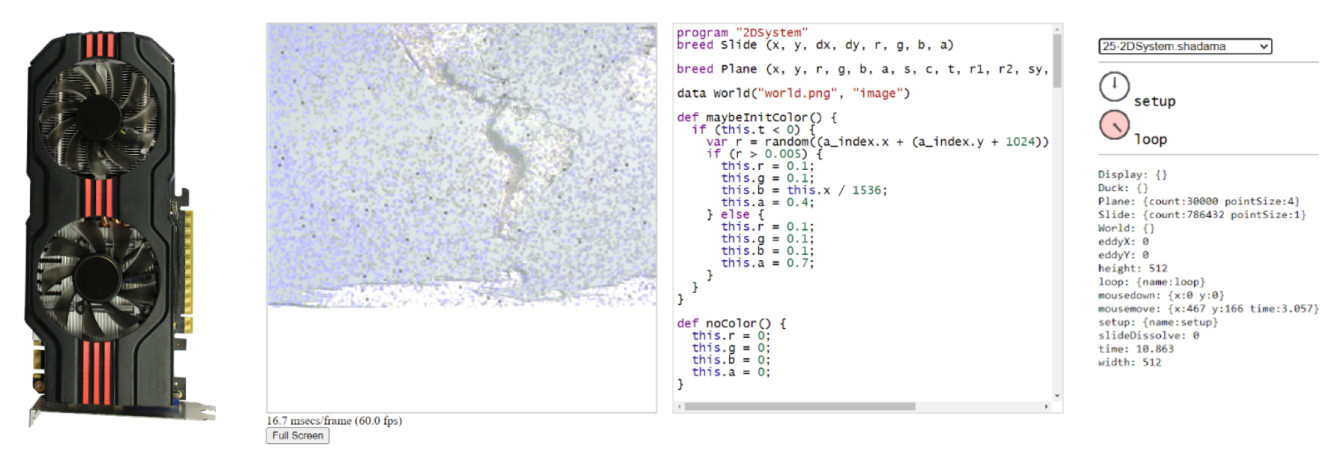
Shadama is a Web programming environment for particle simulations that run on the GPU{style="position:absolute; bottom: 230px; padding-left:10px; padding-right:10px; font-size:1.8em"}
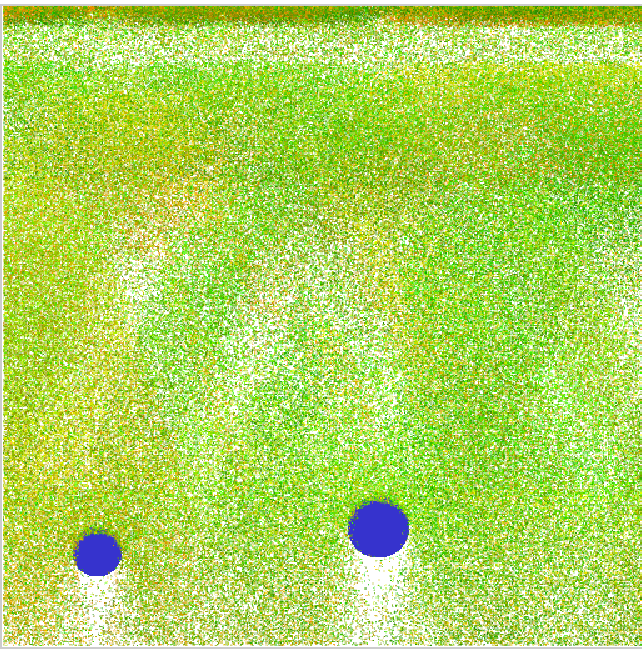{style="position:absolute; bottom: 100px; right: 50px; width:400px"}
Source: [@Oshima2017SPS]{style="position:absolute; bottom: 8px; left:20px; font-size:1em"}
---
# Previous projects and inspirations
- 1996: Squeak Etoys (child-friendly programming environment)
- 2001: StarLogo (agent-based simulation language for education)
- 2005: Kedama (particle simulation system for Etoys)
### Sqeak Etoys{style="position:absolute; bottom: 310px; left: 32px"}
### StarLogo{style="position:absolute; bottom: 310px; left: 302px"}
### Kedama{style="position:absolute; bottom: 310px; left: 617px"}
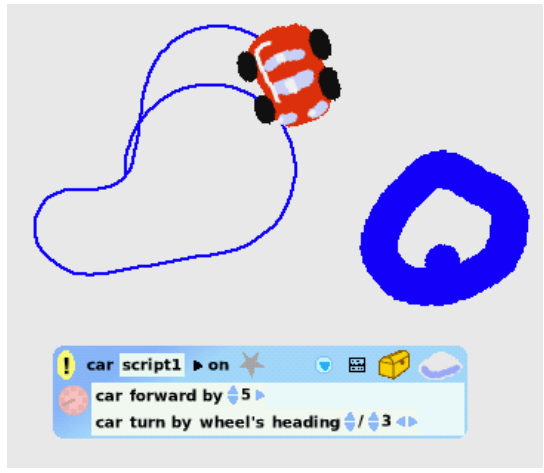{style="position:absolute; bottom: 100px; left: 30px; width:250px"}
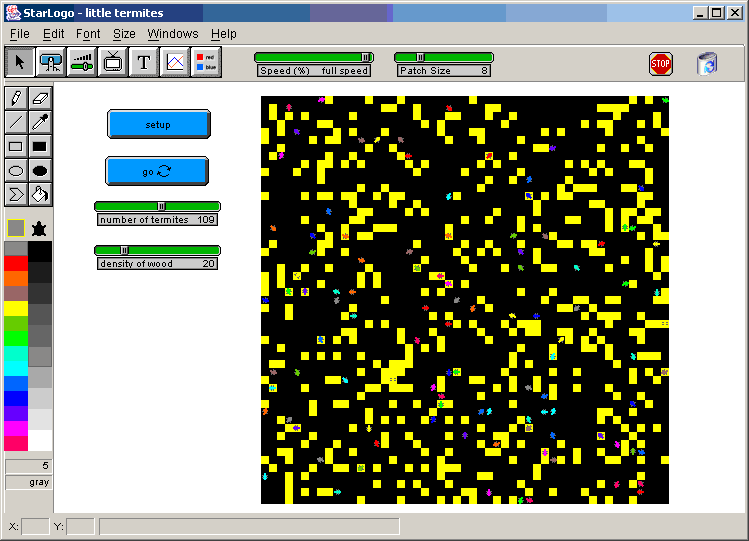{style="position:absolute; bottom: 100px; left: 300px; width:295px"}
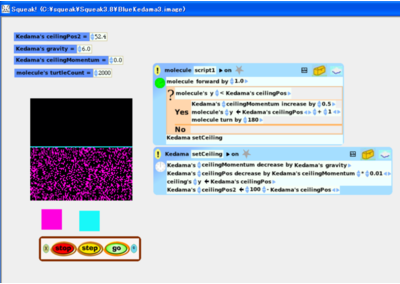{style="position:absolute; bottom: 100px; left: 615px; width:300px"}
Source: [@Kay2005Etoys], [@Oshima2015Kedama], [@StarLogo2015]{style="position:absolute; bottom: 8px; left:20px; font-size:1em"}
---
# Why Shadama?
- GPU acceleration allows to perform particle simulations with a large number of particles
- Writing code that runs on the GPU is usually difficult
- Shadama has its own programming language which is easy to learn
- Coding environment supports live programming
{style="position:absolute; bottom: 70px; left: 125px; width:700px"}
Source: [@Oshima2017SPS]{style="position:absolute; bottom: 8px; left:20px; font-size:1em"}
---
# Demo: Forest Fire
Source: [@Shadama2021]{style="position:absolute; bottom: 8px; left:20px; font-size:1em"}
---
# Shadama - Under the hood
- Parts of the program are translated to the OpenGL Shading Language and run on the GPU
- Other parts are translated to JavaScript and run on the CPU
- Uses web technologies such as WebGL 2.0 and OpenGL Shading Language version 3.0
### Example shader code
```c++
#version 300 es
precision highp float;
layout (location = 0) in vec2 a_index;
layout (location = 1) in vec2 b_index;
uniform sampler2D u_value;
uniform vec2 u_half;
out vec4 v_color;
void main(void) {
vec2 clipPos = (b_index + u_half) * 2.0 - 1.0;
gl_Position = vec4(clipPos, 0, 1.0);
gl_PointSize = 1.0;
ivec2 fc = ivec2(a_index);
v_color = texelFetch(u_value, fc, 0);
}
```
---
# Language
Shadama has its own programming language that has similarities to Javascript and is inspired from [StarLogo](https://en.wikipedia.org/wiki/StarLogo).
### Example code
```javascript
program "Fill"
breed Turtle (x, y, r, g, b, a)
static setup() {
Turtle.setCount(3000);
Turtle.fillRandom("x", 0, 512);
Turtle.fillRandom("y", 0, 512);
Turtle.setColor();
Turtle.draw();
}
def setColor() {
this.r = this.x / 512;
this.g = this.y / 512;
this.b = 0.0;
this.a = 1.0;
}
```
Source: [@Oshima2017SPS]{style="position:absolute; bottom: 8px; left:20px; font-size:1em"}
---
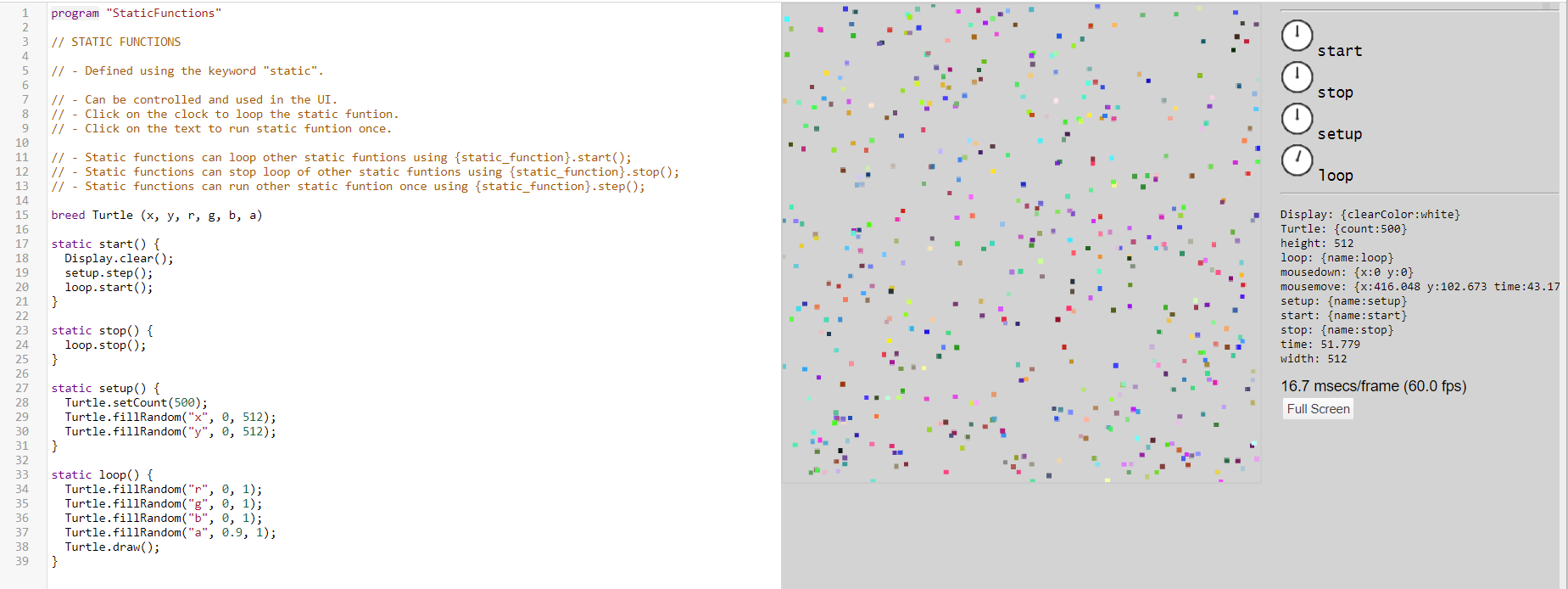
## Static functions
- Static functions will be translated to JavaScript and run on the CPU
- They are defined using the keyword `static`
- They can be controlled and used in the UI
{style="position:absolute; bottom: 60px; left:20px; width:800px; border: 1px solid SteelBlue;"}
Source: [@Oshima2017SPS]{style="position:absolute; bottom: 8px; left:20px; font-size:1em"}
---
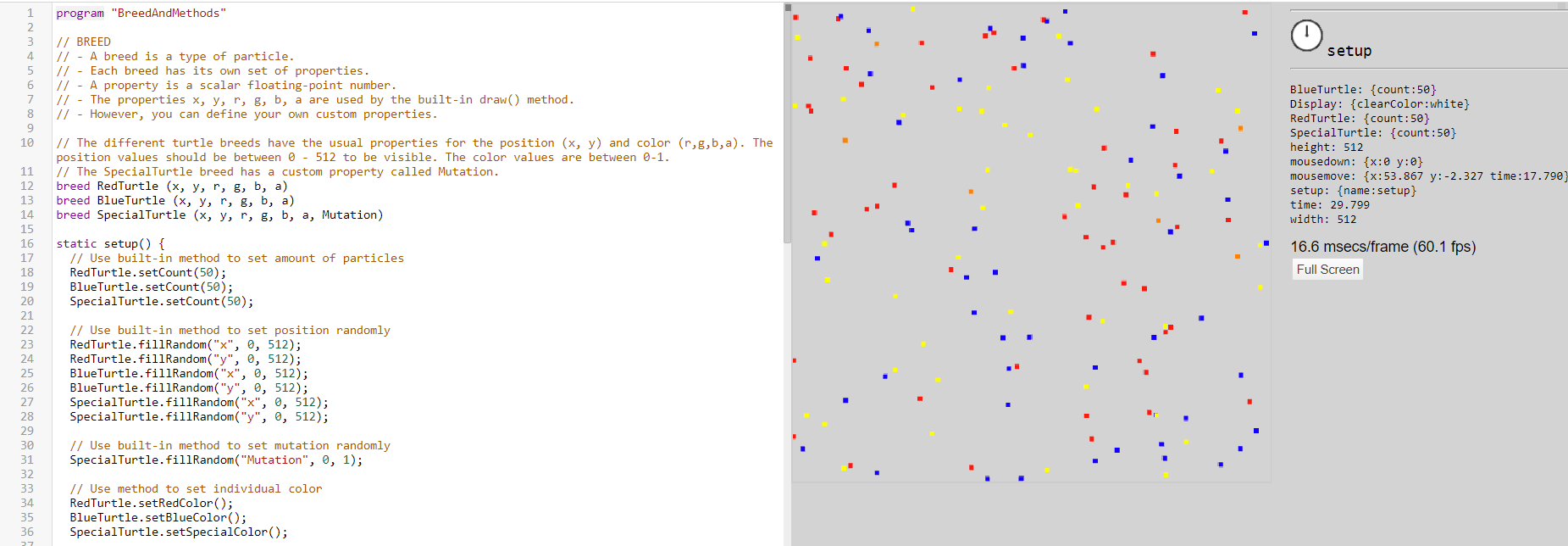
## Breed + Methods
- Breeds are a programming concept to define particle types
- Methods can only be called from static functions on a breed
- Methods will be translated to OpenGL shaders and run on the GPU
- Methods are defined using the keyword `def`
{style="position:absolute; bottom: 60px; left:20px; width:770px; border: 1px solid SteelBlue;"}
Source: [@Oshima2017SPS]{style="position:absolute; bottom: 8px; left:20px; font-size:1em"}
---
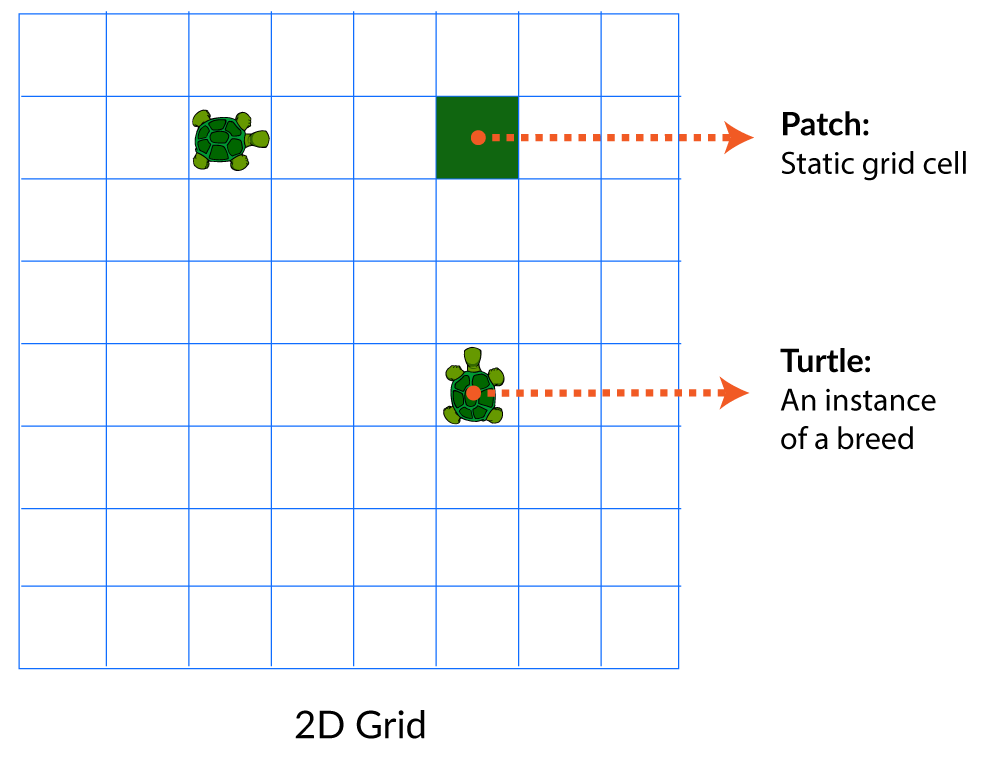
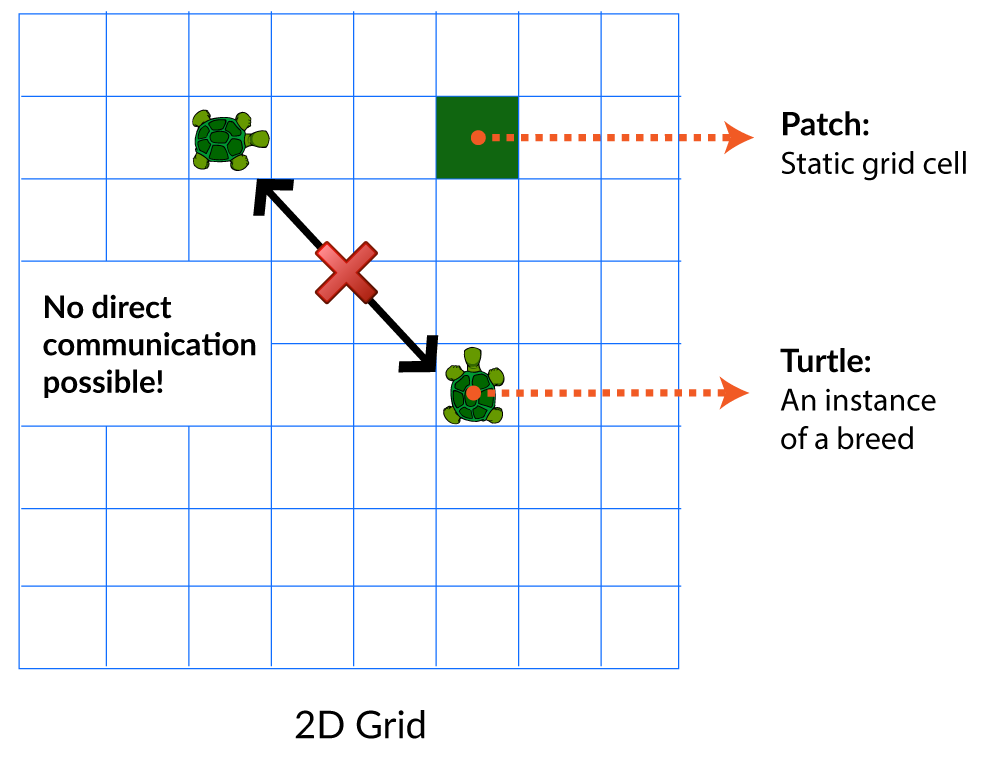
## Communication using patches
The instances of a breed (particles) cannot interact with each other directly.
However, they can use an indirection to communicate with other particles.
{style="position:absolute; bottom: 5px; left: 150px; width:580px"}
---
## Communication using patches
The instances of a breed (particles) cannot interact with each other directly.
However, they can use an indirection to communicate with other particles.
{style="position:absolute; bottom: 5px; left: 150px; width:580px"}
---
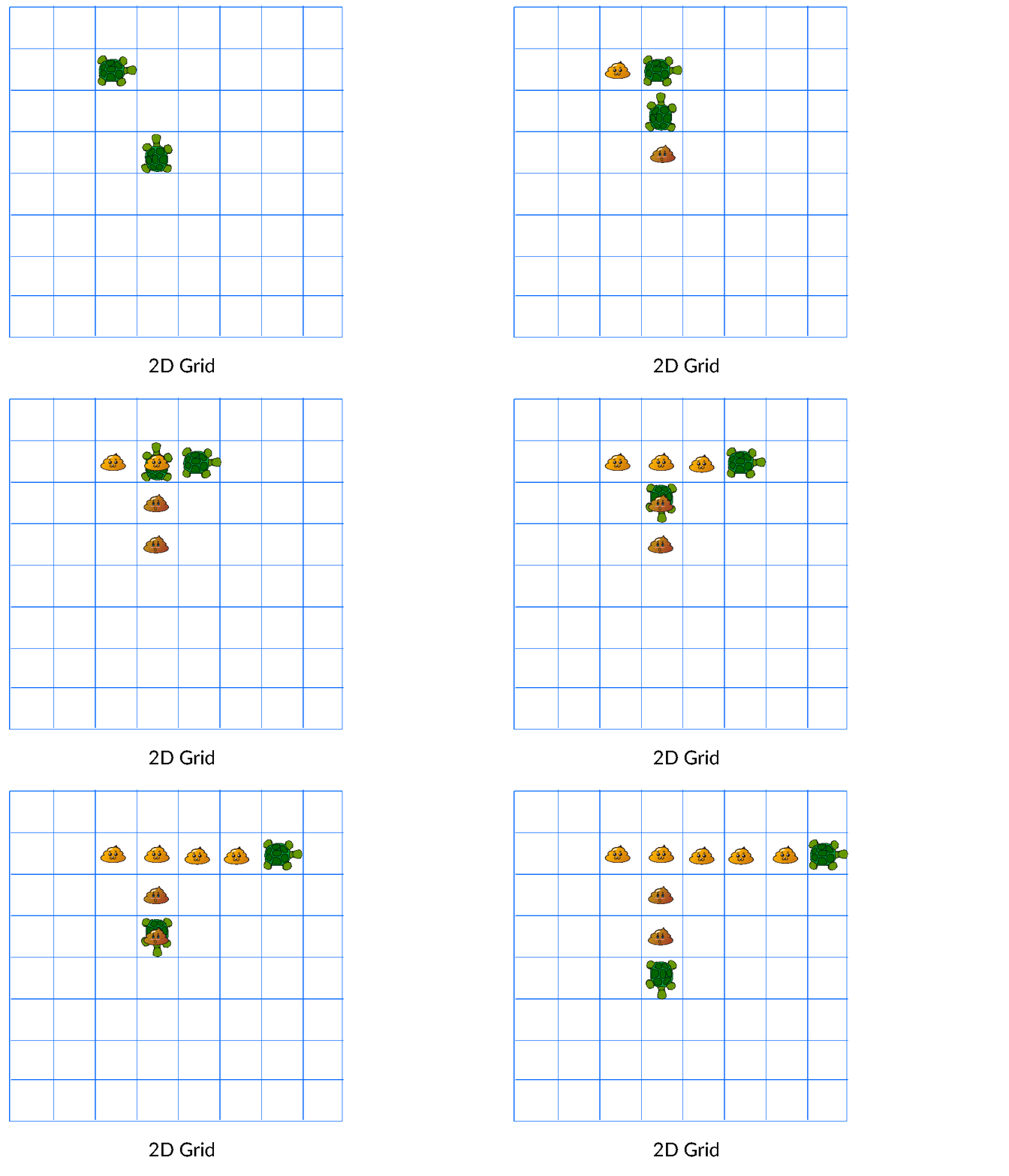
## Communication using patches
The instances of a breed (particles) cannot interact with each other directly.
However, they can use an indirection to communicate with other particles.
{style="position:absolute; bottom: 5px; left: 150px; width:580px"}
---
## Built-in methods
### For breeds or patches
- `draw()`: Draws the breed or patch based on [`x`, `y`, `r`, `g`, `b`, `a`] to the canvas
### Only for breeds
- `setCount(count)`: Sets the number of particles per breed.
- `fillRandom(name, min, max)`: Sets the specified property to a random number between the boundaries
- `fillRandomDir(dxName, dyName)`: Sets the specified properties to a random 2D unit vector
- `fillSpace(xName, yName, xDim, yDim)`: Sets `xDim * yDim` particles within an area specified by `xDim` and `yDim`
### Only for patches
- `diffuse(name)`: Diffuses the specified property of the patch to neighboring cells
Source: [@Oshima2017SPS, @Shadama2021]{style="position:absolute; bottom: 8px; left:20px; font-size:1em"}
---
## Built-in primitive functions
The following primitive functions can be called inside methods and run on the GPU:
- `abs(x)`: Returns absolute value of `x`
- `ceil(x)`: Returns ceil of `x`
- `floor(x)`: Returns floor of `x`
- `sqrt(x)`: Returns square root of `x`
- `cos(x)`: Returns cosine of `x`
- `sin(x)`: Returns cosine of `x`
- `min(a, b)`: Returns minimum of `a` and `b`
- `max(a, b)`: Returns maximum of `a` and `b`
- `pow(a, b)`: Returns `a` to the power of `b`
- `random(seed)`: Returns random value based on `seed`
Source: [@Oshima2017SPS, @Shadama2021]{style="position:absolute; bottom: 8px; left:20px; font-size:1em"}
---
## Variables
### Local variables
- Local variables can only be defined inside methods
- They are defined using the keyword `var`
- The scope of a local variable is the always the whole method
- Within a method the declaration of a variable name must be unique
#### Example code:
```javascript
def average() {
var avg = (this.x + this.y) / 2.0;
this.x = avg;
this.y = avg;
}
```
Source: [@Oshima2017SPS]{style="position:absolute; bottom: 8px; left:20px; font-size:1em"}
---
## Variables
### Static function variables
- Static function variables can only be defined inside static functions
- They are defined using the keyword `var`
- They are visible to all static functions
- They are not visible to methods
- The declaration of a static function name must be unique
#### Example code:
```javascript
static setup() {
var begin = 1;
}
static loop() {
if (begin) {
begin = 0;
}
}
```
Source: [@Oshima2017SPS]{style="position:absolute; bottom: 8px; left:20px; font-size:1em"}
---
## Variables
### Built-in static function variables
- `mousemove`: Returns object with x and y properties with current mouse position
- `mousedown`: Returns object with x and y properties with mouse down position
- `mouseup`: Returns object with x and y properties with mouse up position
- `time`: Returns elapsed seconds since start as float
- `width`: Returns width of Shadama canvas as float
- `height`: Returns height of Shadama canvas as float
- `Display`: Returns object on which certain system primitives such as `Display.clear()` and `Display.loadProgram()` can be invoked
Source: [@Oshima2017SPS]{style="position:absolute; bottom: 8px; left:20px; font-size:1em"}
---
## Control structures
- Shadama only supports the `if` statement
- An `else` statement after the `if` is also supported
- However, `else if` is not supported
#### Example code:
```javascript
static loop() {
if (time > 5.0) {
// Do something if time is higher than 5.0
}
else{
// Do something if time is lower or equal 5.0
}
}
```
Source: [@Oshima2017SPS]{style="position:absolute; bottom: 8px; left:20px; font-size:1em"}
---
# Examples
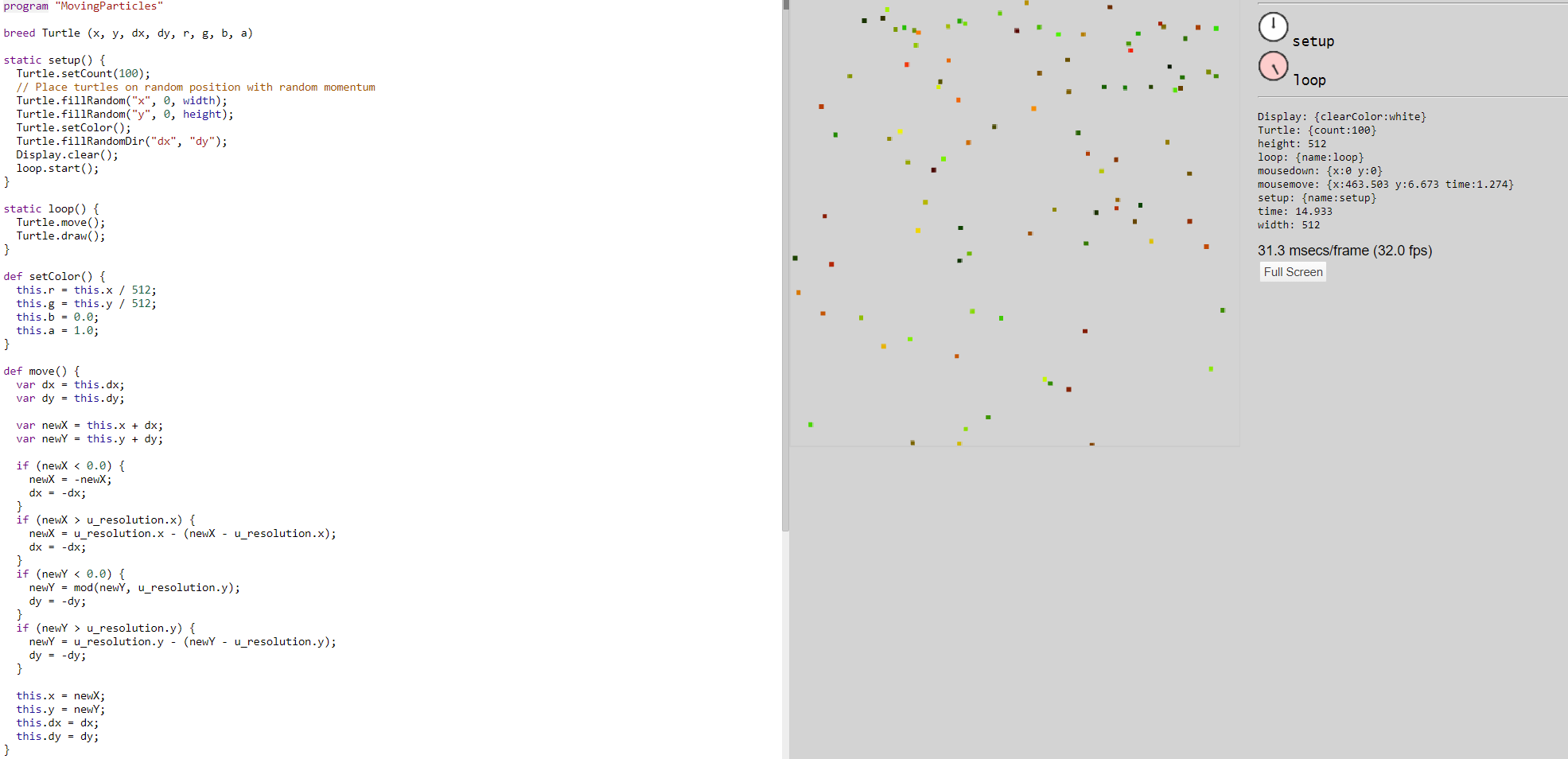
## Moving particles
- Particles move in the canvas and bounce on the canvas borders
{style="position:absolute; bottom: 60px; left:20px; width:620px; border: 1px solid SteelBlue;"}
---
# Examples
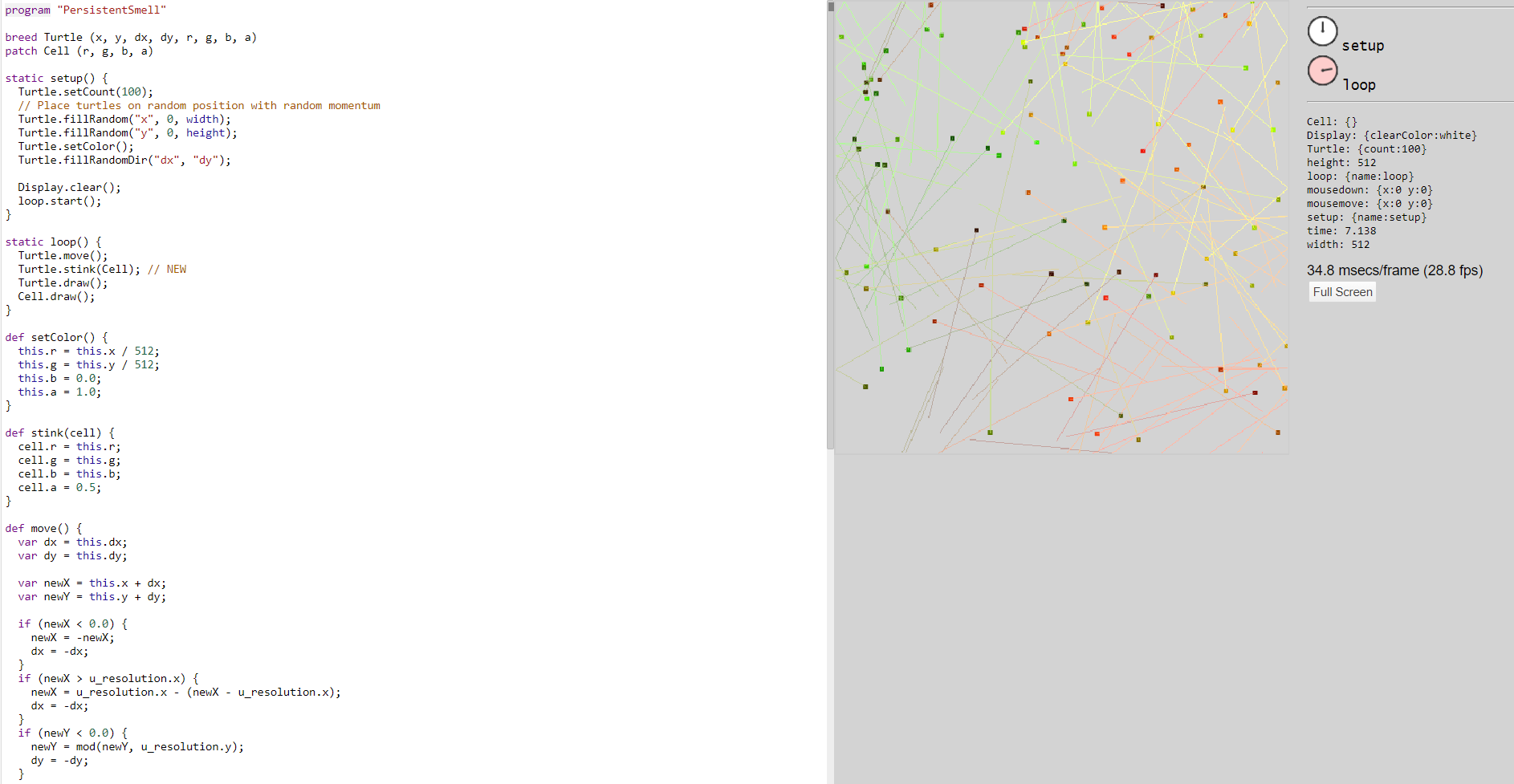
## Persistent smell
- Particles interfere with their surroundings through the use of patches
- Particles access the nearest cell during the movement and change its state
{style="position:absolute; bottom: 60px; left:20px; width:510px; border: 1px solid SteelBlue;"}
---
# Examples
## Non persistent smell
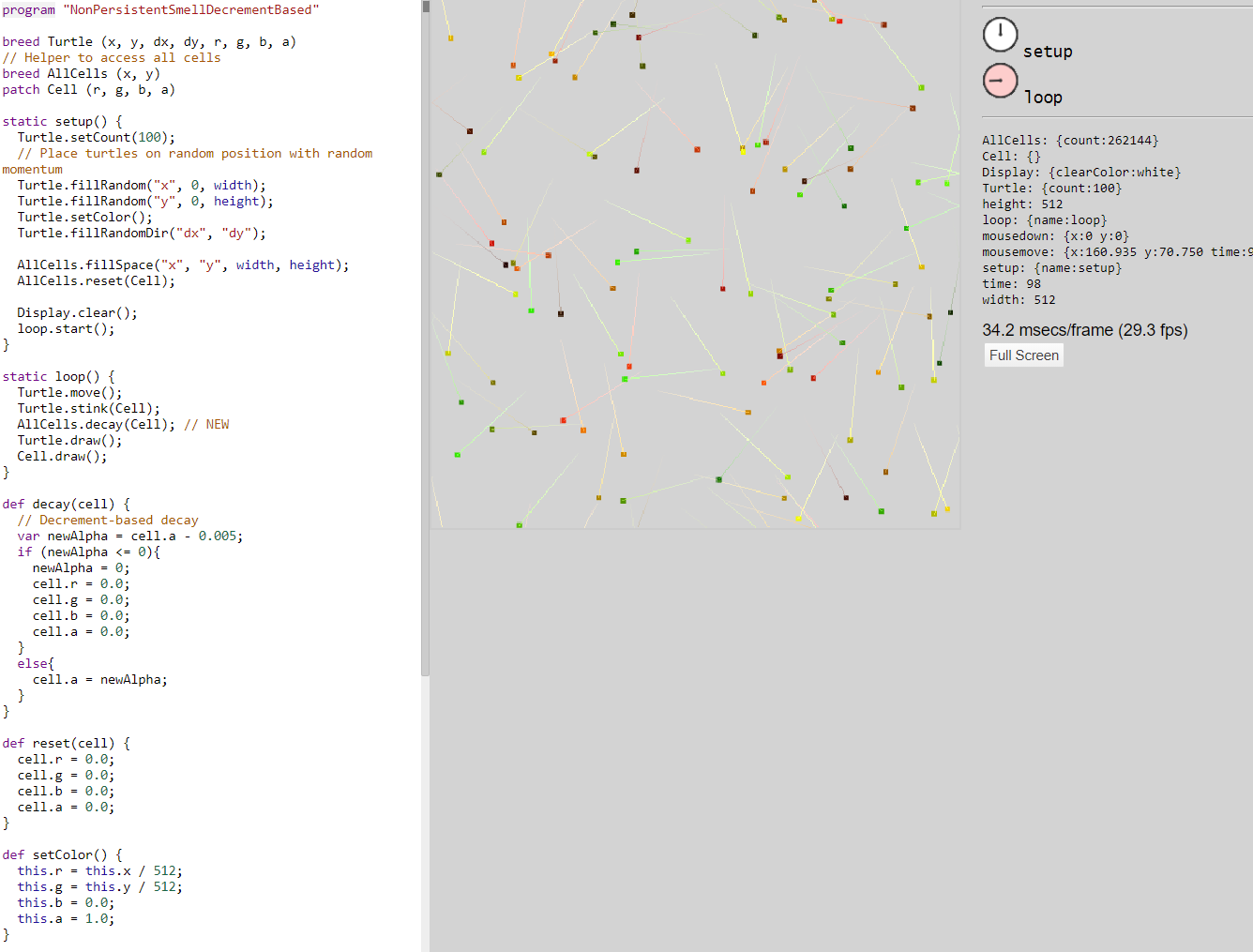
- Smell decays over time
- Decay can be implemented time-based or decrement-based
- Access to all cells is required for the decay
### Example code to access all cells:
```javascript
// Helper to access all cells
breed AllCells (x, y)
patch Cell (r, g, b, a)
static setup() {
AllCells.fillSpace("x", "y", width, height);
loop.start();
}
static loop() {
AllCells.decay(Cell);
}
```
---
# Examples
## Non persistent smell - variations
### Decrement-based
- Smell decays by decrementing it by a certain amount on every tick
### Time-based
- Smell decays by using the time variable to calculate the elapsed time of a smell
{style="position:absolute; bottom: 130px; right:30px; width:400px; border: 1px solid SteelBlue;"}
---
## Disease distribution
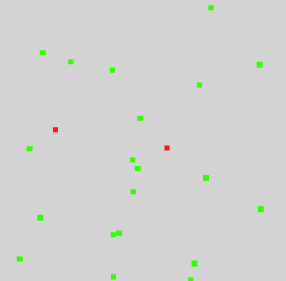
- Combines multiple concepts and features of Shadama for a simulation of the distribution of a disease
- From part A - E more and more characteristics will be added to the simulation
### Part A: Characteristics of the simulation:
- The humans move (randomly)
- A human can be infected or healthy
- In the beginning a certain amount is infected
{style="position:absolute; bottom: 120px; right:80px; width:250px; border: 4px solid SteelBlue;"}
---
## Disease distribution
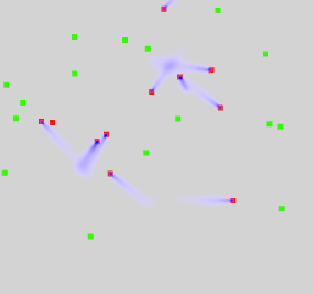
### Part B: Characteristics of the simulation:
- Previous characteristics
- Infected humans spread pathogens
- The pathogens decrease over time
- Healthy humans become infected when they get in contact with pathogens
{style="position:absolute; bottom: 175px; right:80px; width:300px; border: 4px solid SteelBlue;"}
---
## Disease distribution
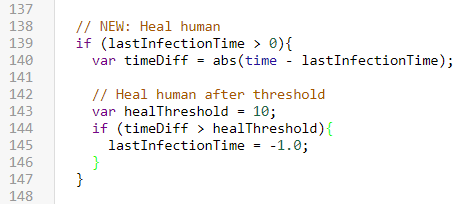
### Part C: Characteristics of the simulation:
- Previous characteristics
- Infected humans become healthy again after a period of time
{style="border-left: 4px solid SteelBlue;"}
---
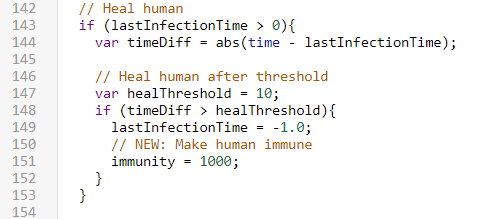
## Disease distribution
### Part D: Characteristics of the simulation:
- Previous characteristics
- Humans have a value for their immunity
- After a human heals from an infection, the human becomes immune
{style="border-left: 4px solid SteelBlue;"}
---
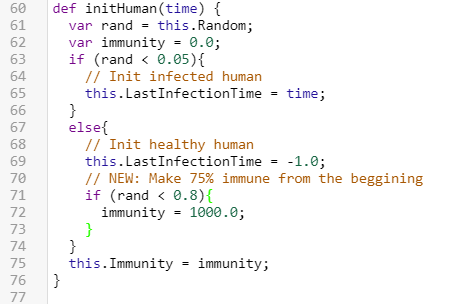
## Disease distribution
### Part E: Characteristics of the simulation:
- Previous characteristics
- 75% of the humans are immune from the beginning
{style="border-left: 4px solid SteelBlue;"}
---
# Ideas to improve Shadama
- Simplify access to all cells
- Add a way to access neighboring cells
- Add support for adjustable variables using UI (e.g. slider)
- Random function inside methods is not documented and behaves oddly
- Support keyboard input
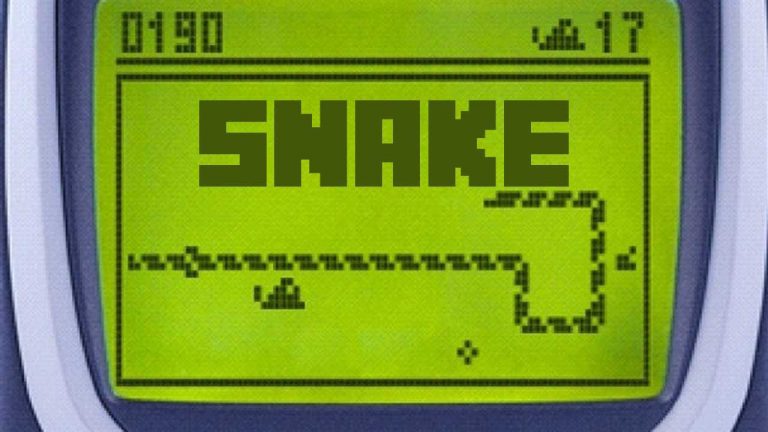
## Bonus: Snake in Shadama
[{style="width: 300px; border: 4px solid SteelBlue; display: block; margin-left: 0px; margin-right: auto;"}](edit://demos/swd21/particles/tutorial/08-snake.shadama)
---
# References